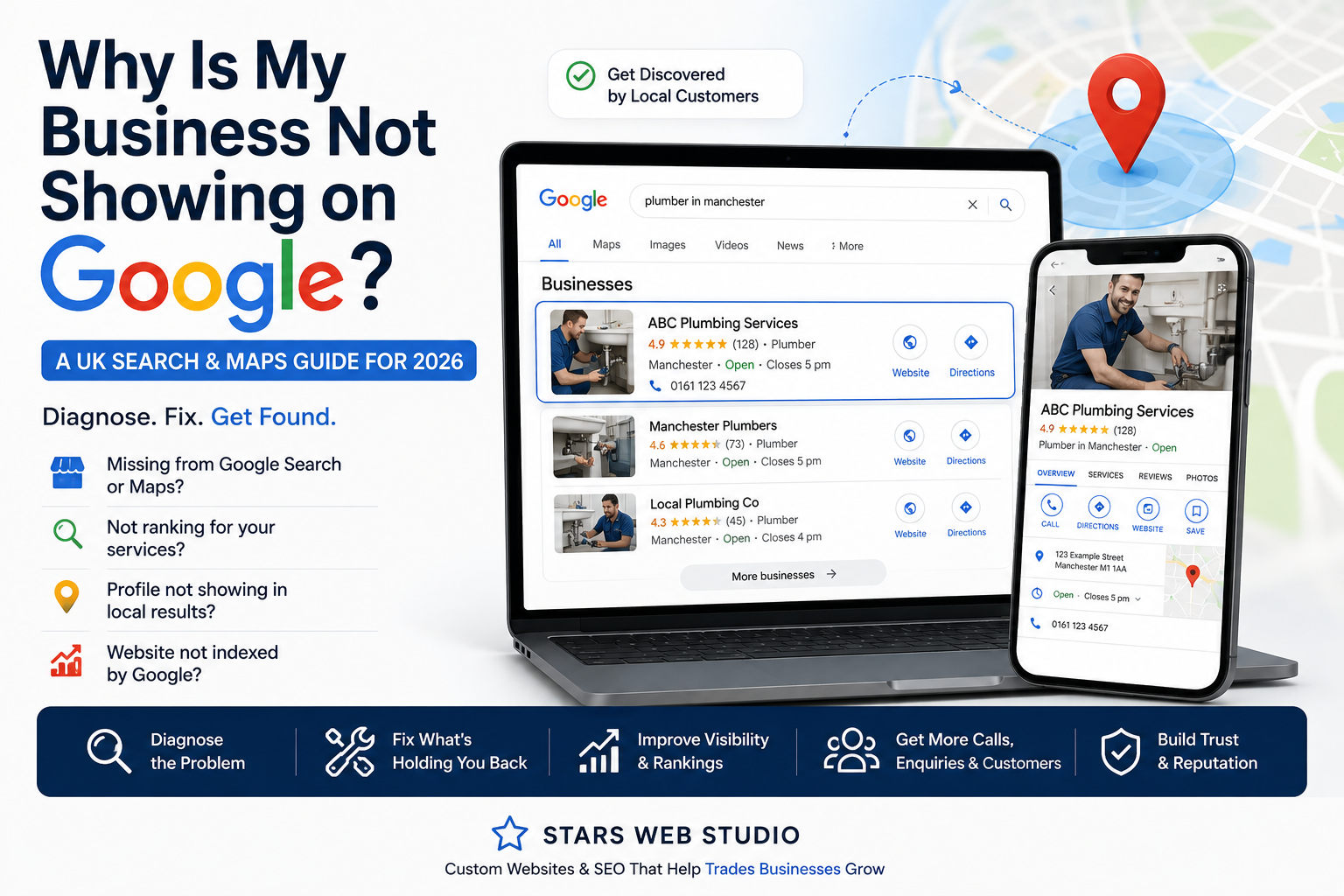
Why Is My Business Not Showing on Google? A UK Search & Maps Guide for 2026
Can't find your business on Google Search or Maps? Diagnose whether the problem is your Google Business Profile, location, website, indexing, reviews or local visibility.
Article guide On this page
You search for your service on Google and competitors appear — but your business does not. Or perhaps your company appears when you type its exact name, yet disappears when a potential customer searches for the service you provide.
For a UK plumber, electrician, garage, builder, roofer, salon, dentist or other local business, that can mean missed calls, enquiries and bookings.
But “my business isn't showing on Google” is not one problem. It can mean your Google Business Profile is unverified, your website is not indexed, your business is too far from the searcher, Google does not clearly understand your services, your reputation signals are weak, or there is simply strong local competition.
The fastest way to improve the situation is therefore not to start changing everything. First identify exactly where you are missing.
First: Which Google Visibility Problem Do You Have?
| What is happening? | Most likely area to investigate | Start here |
|---|---|---|
| Your business does not appear even when you search its exact name | Business Profile, verification or profile status | Check the Google account that manages your Business Profile |
| Your business appears by name but not for your service | Relevance, category, website content and competition | Review your primary category, services and service pages |
| You appear in Google Maps but below competitors | Relevance, distance and prominence | Compare profile completeness, reviews, location and website relevance |
| Your Google profile appears but your website does not | Crawling or indexing | Inspect the page in Google Search Console |
| Your website appears for your business name but not your services | Organic search relevance | Check whether your important services have useful dedicated content |
| You appear near your location but not farther away | Distance | Check the real relationship between your location and the search area |
| Google displays outdated or incorrect information | Business Profile and conflicting public data | Correct your profile and official website first |
These situations require different fixes. A suspended Business Profile will not be repaired by writing more blog posts, while a perfectly healthy Business Profile will not fix a website that Google cannot index.
1. Search for Your Exact Business Name First
Start with a branded search.
Search Google for:
your exact business name;
your business name plus town or city;
your business name plus your main service.
If your Google Business Profile does not appear even when you search for the exact business name, investigate the profile itself before worrying about broader rankings.
Google recommends signing into the Google account associated with the Business Profile and searching for the business name and city, or searching for “my business”, to locate and manage the profile.
Google's official guide to finding your Business Profile
2. Make Sure Your Google Business Profile Is Verified
Google states that verification confirms that you are authorised to represent the business. Verification is a foundational requirement for managing how the business appears across Google Search and Maps.
If verification is incomplete, sign into the Google account that manages the business and follow the verification method Google makes available to you.
Do not create another profile simply because the first one is difficult to find. Check whether an existing listing already represents the business before creating anything new.
A duplicate profile can make an already confusing situation worse.
3. Check Whether the Profile Has Been Suspended or Disabled
If your profile previously appeared but suddenly disappeared, check whether Google has issued a suspension or restriction notice.
A suspended or disabled profile is fundamentally different from a low-ranking profile.
Before submitting an appeal, review whether the business details comply with Google's guidelines. Important checks include:
whether the business name reflects the genuine real-world business name;
whether the address is legitimate;
whether customers actually visit the location if the address is publicly shown;
whether duplicate profiles exist;
whether the business is eligible for a Business Profile.
If Google has suspended the profile, resolve the policy issue rather than trying to compensate with additional SEO activity elsewhere.
4. Understand How Google Decides Which Local Businesses to Show
Once your profile is active, the next question is why another business appears above yours.
Google describes three main concepts behind local results:
Relevance — how well the business matches what the person searched for;
Distance — how far the business is from the location associated with the search;
Prominence — how well-known or established the business appears to be.
Read Google's official local ranking guidance.
This explains why there is no single “rank me higher” setting inside Google Business Profile.
A business can improve how clearly Google understands it and strengthen its online reputation, but it cannot eliminate physical distance from the person searching.
5. Improve Relevance: Make It Obvious What Your Business Actually Does
If Google shows your business for its name but not for the services you want, relevance deserves attention.
Review the information in your Business Profile:
primary category;
additional relevant categories;
services;
business description;
telephone number;
website;
opening hours;
service area;
photos;
other applicable attributes.
Choose categories based on what the business genuinely is, not every keyword you would like to rank for.
Then check the website.
Suppose a roofing company's homepage simply says:
Professional solutions at competitive prices. Contact our friendly team today.
That communicates almost nothing about what the company actually does.
A stronger website would clearly explain genuine services such as:
roof repairs;
flat roofing;
new roof installation;
guttering;
emergency repairs;
the real areas served;
relevant guarantees or accreditations;
how customers can request a quotation.
Your website should help both people and search engines understand the business without guessing.
6. Understand Distance Before You Assume Your SEO Is Broken
Distance is particularly important for local businesses.
A plumber based in one part of Birmingham may not see exactly the same local results as a customer searching several miles away. Google uses the searcher's location, or other available location information, when determining local results.
This means manually searching your own service from one phone or office is not a complete measurement of local visibility.
Do not panic because you rank differently from one postcode to another.
Instead, combine ranking observations with real data such as:
Google Business Profile performance;
Search Console impressions and clicks;
phone calls;
quote requests;
bookings;
the locations your real enquiries come from.
No legitimate SEO company can guarantee that a business will rank first from every location because proximity is part of Google's own local ranking system.
7. If You Travel to Customers, Set Up Your Service Area Properly
This matters for many UK trades and mobile services.
A plumber, electrician, cleaner, mobile mechanic or similar service may operate from a home or office while travelling to the customer's location.
Google says that if you do not serve customers at your business address, you should remove that address from the public Business Profile and configure your service area instead.
Google's service-area business guidance
Google currently allows service areas to be specified using places such as cities or postal codes and says a service-area business should generally keep its overall area within roughly two hours' driving time from its base, although exceptions can exist for certain businesses.
Do not create fake offices in Manchester, Leeds, Liverpool and Birmingham because you want to appear in all four cities.
Google's guidelines explicitly restrict virtual offices that are not genuinely staffed during business hours.
8. Check Whether Google Has Indexed Your Website
Your Business Profile and your website are separate assets.
It is perfectly possible for your Business Profile to appear in Maps while important pages on your website are missing from organic Google Search.
Use Google Search Console to diagnose this.
Google says Search Console provides information about how it crawls, indexes and serves a website. Its URL Inspection tool can show the index status of an individual page and allow site owners to test the live URL.
Inspect at least:
your homepage;
your highest-value service pages;
important genuine location pages;
new pages you recently published.
If an important page is not indexed, investigate why rather than assuming you simply need more keywords.
9. Common Reasons a Website Page May Not Be Indexed
Google documents several technical and quality-related situations that can prevent normal indexing or serving.
Possible issues include:
the page is new and has not been crawled yet;
Google cannot access the page;
a
noindexdirective prevents indexing;the page returns an error rather than a successful response;
Google considers another URL the canonical version;
the page contains too little useful or distinctive information;
the site's design or implementation makes the content difficult to process.
Use Search Console's URL Inspection tool rather than relying only on a site: search. Google itself says URL Inspection is more reliable for debugging indexing.
10. Request Indexing After You Fix the Problem — But Don't Keep Pressing the Button
If you have substantially improved or corrected a page, Search Console allows you to request another crawl.
However, Google says crawling can take anywhere from several days to several weeks and that requesting a crawl does not guarantee immediate indexing.
Repeatedly submitting the same URL does not make Google crawl it faster.
Google's guide to requesting a recrawl
11. Check Whether Your Website Actually Deserves to Appear for the Search
This is where many businesses focus too heavily on technical SEO.
A page can be indexed perfectly and still not rank for the searches you want.
Ask a simpler question:
If someone landed on this page searching for this exact service, would the page genuinely answer what they need?
For an independent garage, a useful MOT page could explain:
whether MOT testing is available;
how customers book;
the garage location;
opening hours;
what happens after a failed MOT;
relevant pricing if the business chooses to publish it;
other frequently asked questions.
A generic paragraph saying “we provide quality automotive services” does not offer the same usefulness.
Create substantial pages for important services where there is genuinely enough useful information to justify them.
12. Don't Create Hundreds of Near-Identical Location Pages
Local businesses often want to rank in every nearby town.
That can lead to pages such as:
Plumber in Leeds;
Plumber in Bradford;
Plumber in Wakefield;
Plumber in Huddersfield.
There is nothing inherently wrong with useful location pages when the business genuinely serves those locations.
The problem is creating dozens of pages where the only meaningful difference is the town name.
A location page should exist because it provides something useful to a customer in that location — not because an SEO tool suggested adding another keyword.
13. Build Prominence Through Genuine Reputation
Google says prominence is partly influenced by information about a business across the web, including links and reviews.
That makes reputation an important part of local visibility.
Useful actions include:
asking genuine customers for honest Google reviews;
responding professionally to reviews;
keeping important business listings accurate;
earning legitimate mentions from relevant local organisations or industry websites;
showing real projects and evidence of your work;
maintaining a professional website that people can confidently reference.
Google says more reviews and positive ratings can help local ranking, but there is no universal review count that guarantees a particular position.
A garage in a small town and an emergency plumber in central London do not compete in identical markets.
14. Check for Incorrect or Conflicting Business Information
Business information can exist in many places online.
Check:
your website header and footer;
contact page;
Google Business Profile;
Facebook and other social profiles;
relevant trade directories;
old website pages;
previous addresses;
old telephone numbers.
If your company moved from one location to another but your old address remains prominent across the web, update authoritative sources instead of adding more conflicting versions.
Your website should function as a clear, current source of information about your own business.
15. Should You Add LocalBusiness Schema?
Structured data gives search engines information in a standardised machine-readable format.
Google supports LocalBusiness structured data and documents properties that can describe details such as the business type, address, opening hours and other relevant information.
Google's LocalBusiness structured data documentation
Use the most specific appropriate business type and make sure the structured data accurately reflects information actually associated with the business.
Do not think of schema as a magic ranking switch.
It helps make information explicit to search systems, but it does not replace:
useful service pages;
an accurate Business Profile;
real reviews;
technical accessibility;
genuine local relevance.
16. What About Google AI Overviews and AI Search?
AI search is becoming more important, but this does not mean local businesses should abandon normal SEO and start chasing supposed secret “AI optimisation” techniques.
Google's 2026 guidance says its generative AI search features are rooted in its core Search ranking and quality systems.
Google states that pages generally need to be indexed and eligible for normal Search before they can appear in its generative AI search features.
The guidance continues to emphasise:
crawlable websites;
clear technical structure;
unique and valuable content;
accurate local business information;
good page experience;
ordinary SEO fundamentals.
Google also specifically warns website owners not to over-focus on supposed AEO or GEO hacks such as unnecessary AI-specific text files or manufactured mentions.
Google's 2026 generative AI search optimisation guidance
For a local business, this makes the priority fairly straightforward:
Make your normal search presence clear, accurate, useful and crawlable first.
17. Don't Judge Success by Rankings Alone
A ranking is useful only if it contributes to business results.
Track outcomes such as:
organic impressions;
search clicks;
Business Profile interactions;
phone calls;
quote enquiries;
bookings;
which services generate leads;
which locations generate profitable customers.
A business receiving five relevant enquiries from a high-value service can be in a stronger position than one receiving hundreds of low-intent visits to an unrelated blog post.
A 30-Minute Google Visibility Audit for UK Businesses
Search your exact business name. Does the correct Business Profile appear?
Check your Business Profile account. Is it verified and free from warnings or suspension notices?
Review your primary category. Does it accurately describe the main business?
Check your contact information. Phone, website, hours and location/service area should be current.
Search your main service plus your town. Note what Google shows and which competitors appear.
Open Search Console. Inspect your homepage and highest-value service page.
Read your website like a new customer. Can you understand what the business does and where it operates within a few seconds?
Check reviews. Are they genuine, relatively recent and being answered?
Search for old business information. Look for previous addresses, phone numbers or outdated pages.
Record your current results. Measure enquiries and visibility before making major changes.
What Should You Fix First?
| Problem | Priority | Why |
|---|---|---|
| Business Profile suspended or disabled | Immediate | The profile may not be publicly visible until the issue is resolved |
| Profile not verified | Immediate | Verification is foundational to managing the business on Search and Maps |
| Wrong phone, opening hours or location | Immediate | Customers may contact the wrong number, visit at the wrong time or lose trust |
| Main website pages not indexed | High | Pages that Google cannot normally index cannot compete properly in organic Search |
| Website does not clearly explain important services | High | Both customers and search engines need enough useful information to understand relevance |
| Weak review and reputation signals | High | Reviews influence customer trust and can contribute to local prominence |
| Trying to rank far outside the genuine business area | Strategic | Distance cannot simply be optimised away |
| Not appearing in AI-generated search experiences | Secondary | Fix normal crawling, indexing and search usefulness first |
Frequently Asked Questions
Why does my business appear when I search its name but not its service?
Google may understand the business well enough for a branded search but not consider it the strongest match for a broader service search. Review your Business Profile category, service information, website content, location, reviews and competition. Distance may also influence the result.
Why am I not showing in the top Google Maps results?
There is no single guaranteed reason. Google says local results are mainly determined using relevance, distance and prominence. Your profile can be correctly configured and still appear differently depending on the searcher and competitive environment.
Do I need a website to have a Google Business Profile?
No. Eligible businesses can operate a Google Business Profile without a website. However, a website gives prospective customers much more space to understand your services, projects, credentials and contact options.
Can I pay Google to rank my Business Profile higher?
Google offers paid advertising products, but its official Business Profile guidance says there is no way to request or pay for a better organic local ranking.
Will adding more towns to my website make me rank everywhere?
No. Location visibility depends on much more than mentioning a town name. Create location content only where it genuinely helps customers and accurately represents areas the business serves.
How long does it take for a new business to appear on Google?
There is no guaranteed timeline. Google says rankings for new businesses can take time to appear, while website crawling and indexing can also take days or longer. Use Business Profile status and Search Console to monitor progress rather than relying on repeated manual searches.
Does LocalBusiness schema improve rankings?
Structured data can help Google interpret information about a local business in a standardised format, but Google does not promise a ranking increase simply because schema has been added.
Do I need special GEO or AEO optimisation for Google AI?
Google's current guidance says its generative AI search experiences continue to rely on normal Search foundations. Focus on crawlability, indexing, unique useful content, accurate business information and a strong user experience before pursuing supposed AI-specific shortcuts.
The Bottom Line
If your business is not showing on Google, resist the temptation to randomly change your website, business name, categories and service area all at once.
First determine which problem you actually have:
Business Profile problem — your listing is missing, unverified or restricted;
local visibility problem — your profile exists but competitors appear above you;
indexing problem — Google is not properly indexing important website pages;
relevance problem — your website and profile do not clearly answer the searches you want to appear for;
distance problem — you are trying to appear much farther from your real location;
reputation problem — competitors have stronger legitimate prominence signals.
Then fix that layer first.
For most UK local businesses, the strongest long-term approach is not choosing between Google Business Profile and a website. It is building an accurate Business Profile supported by a useful, technically accessible website, genuine customer reputation and consistent information across the web.
If your website is one of the weak points, explore the Stars Web Studio portfolio to see examples of modern local-business websites designed around clear services, mobile usability and conversion.