AI Lead Follow-Up Automation for UK Small Businesses: Stop Losing Enquiries in 2026
A practical UK guide to automating enquiry replies, lead qualification, CRM updates, bookings and quote follow-ups without losing human control.

Article guide On this page
Quick answer: AI lead follow-up automation helps a small business respond to new enquiries quickly, collect the right details, update its CRM, schedule reminders and prepare personalised follow-ups. The safest approach is not to let an AI “run sales” by itself. It is to automate repeatable steps, keep pricing and promises inside clear rules, and send uncertain or high-value decisions to a person.
For a UK service business, the most useful first workflow is often simple: a customer submits a website form, receives a helpful acknowledgement, is classified by service and urgency, enters the right pipeline, and triggers a follow-up task if nobody replies. That closes the gap between getting an enquiry and actually progressing it.
Why lead follow-up is a strong first AI automation
Small teams rarely lose enquiries because they do not care. They lose them because the owner is serving customers, travelling between jobs, answering calls, preparing quotes and managing admin at the same time. A form submission arrives at 7:40 pm, a missed call is forgotten, or a quote is sent and never followed up.
That is exactly the kind of work automation handles well: frequent, repetitive, rules-based actions with a clear trigger and a measurable outcome. It is more practical than buying a general-purpose “AI employee” and hoping it discovers what to do.
Current UK evidence supports that practical approach. The Office for National Statistics reported in July 2026 that around 35% of businesses with ten or more employees used at least one AI technology in June 2026, while 55% of employees reported using AI for work or education. ONS also found that improving business operations was the most common stated purpose.
A separate Department for Science, Innovation and Technology study found that 47% of businesses using or planning to use AI cited automation, while administration and support were cited by 70%. It also found that most AI-using businesses reported productivity improvements, but revenue gains were much less common. The lesson is useful: automate a defined process and measure it, rather than assuming an AI subscription will create growth by itself.
What AI lead follow-up automation actually does
A well-designed workflow connects the tools you already use. It may include your website form, business email, CRM, calendar, messaging service and task list. AI is used where interpretation or drafting helps; ordinary automation is used where the rule is fixed.
Capture: Receive a website form, chat message, missed-call record or booking request.
Understand: Extract the service requested, location, preferred date, urgency and any missing information.
Acknowledge: Send a useful first response that confirms receipt and explains the next step.
Route: Add or update the contact in the CRM and assign the enquiry to the right person or pipeline.
Prepare: Draft a tailored response, booking link or request for missing details.
Follow up: Create reminders after an agreed interval if the customer has not replied.
Escalate: Stop automation and alert a person when the request is sensitive, unusual, high-value or outside the rules.
If you are new to the subject, read our introduction to AI automation for small businesses first. The rest of this guide focuses on turning that idea into a safe, conversion-focused enquiry workflow.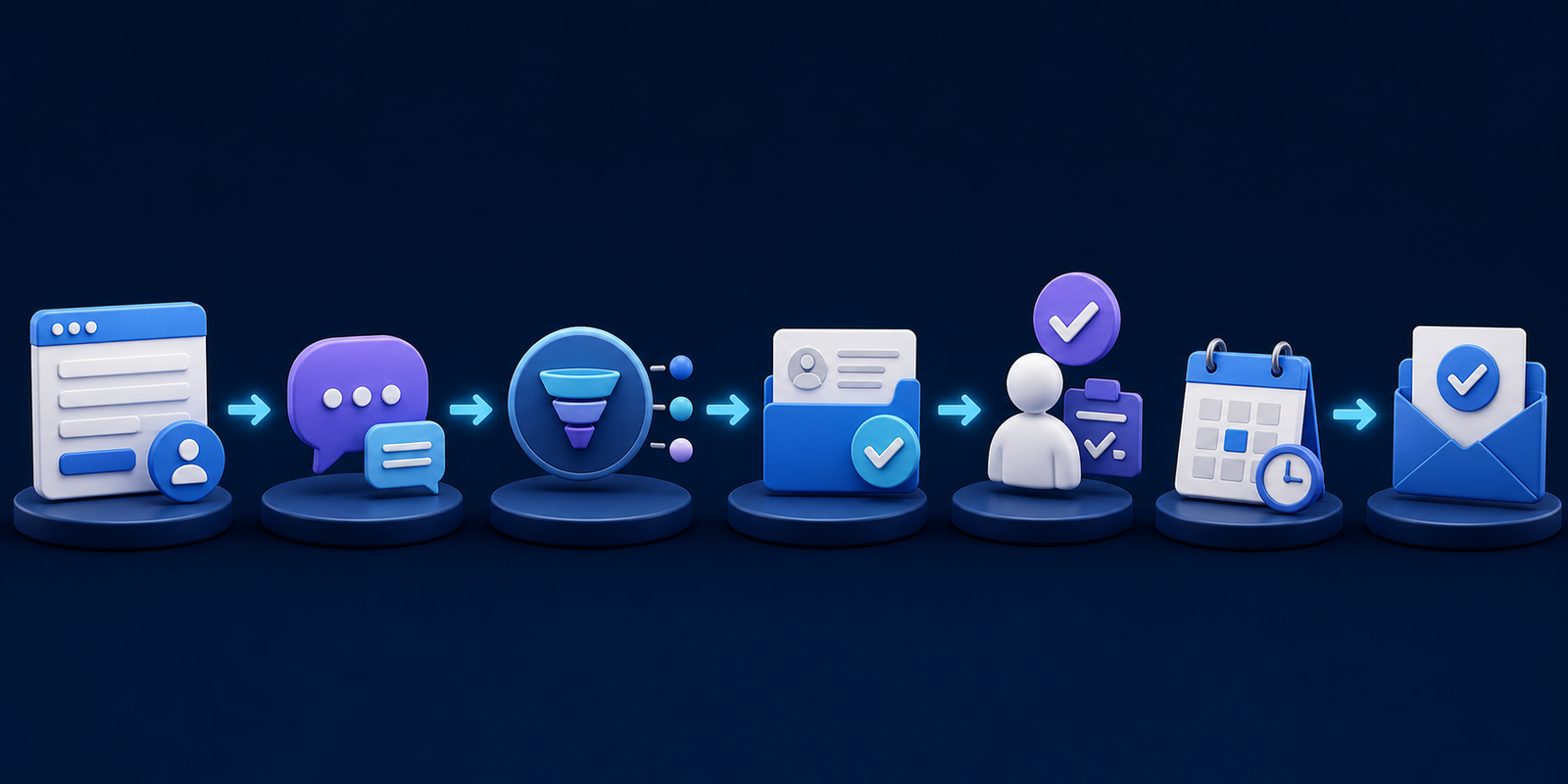
Seven practical workflows for UK service businesses
1. Instant website enquiry acknowledgement
A customer submits a form and immediately receives a short confirmation using their name and requested service. The message should say when a human will respond, include the business telephone number for urgent requests, and avoid pretending the enquiry has already been accepted.
This works especially well for trades, salons, clinics, garages, consultants and local professional services. Your website design and forms must capture clean information first; automation cannot repair a confusing enquiry journey.
2. Lead classification and routing
AI can read an open-text enquiry and classify it by service, area, urgency or customer type. A boiler repair request can go to urgent jobs, a commercial project can go to the relevant estimator, and an out-of-area enquiry can be flagged before time is spent quoting.
Keep the categories simple and allow staff to correct them. Those corrections become useful evidence for improving the workflow.
3. Missing-information follow-up
Many enquiries cannot be priced because essential details are missing. The workflow can ask for measurements, photographs, postcode, vehicle model, preferred appointment time or another business-specific detail. The questions should come from an approved checklist, not be invented freely by a model.
4. Booking and reminder automation
When an enquiry meets your criteria, the customer receives the correct booking link. Confirmation and reminder messages can then be sent automatically. Calendar availability must come from the live booking system so the AI cannot promise a slot that does not exist.
5. Quote follow-up with human approval
After a quote is sent, the system schedules a polite follow-up. AI may draft the message using the service and quote date, but price changes, discounts and contractual promises should require approval. A useful sequence might include a two-day check-in, a seven-day reminder and then a final close-the-loop message.
6. Missed-call recovery
If a call is missed, the customer can receive a text explaining that the team is busy and asking what they need. The reply is captured as an enquiry and placed in the same pipeline as website leads. The message must clearly identify the business and offer a straightforward way to speak to a person.
7. Review and rebooking requests
After a completed appointment or job, an automation can ask whether everything went well. Positive feedback can trigger a review request; complaints should go directly to a person. For repeat services, the same workflow can create a rebooking reminder at the appropriate interval.
A safe lead automation example
Imagine a Leeds beauty studio receives an evening enquiry for gel nails. A sensible workflow would:
confirm that the request has been received;
check whether the customer supplied a preferred day and service;
request any missing detail from an approved list;
add the enquiry to the salon CRM;
offer a live booking link only when availability is confirmed;
alert the owner if the customer mentions an allergy, complaint or unusual treatment request;
create a follow-up task if no booking is completed within two days.
The system handles speed and consistency. The salon owner keeps control of judgement, safety and customer relationships.
Where human approval is essential
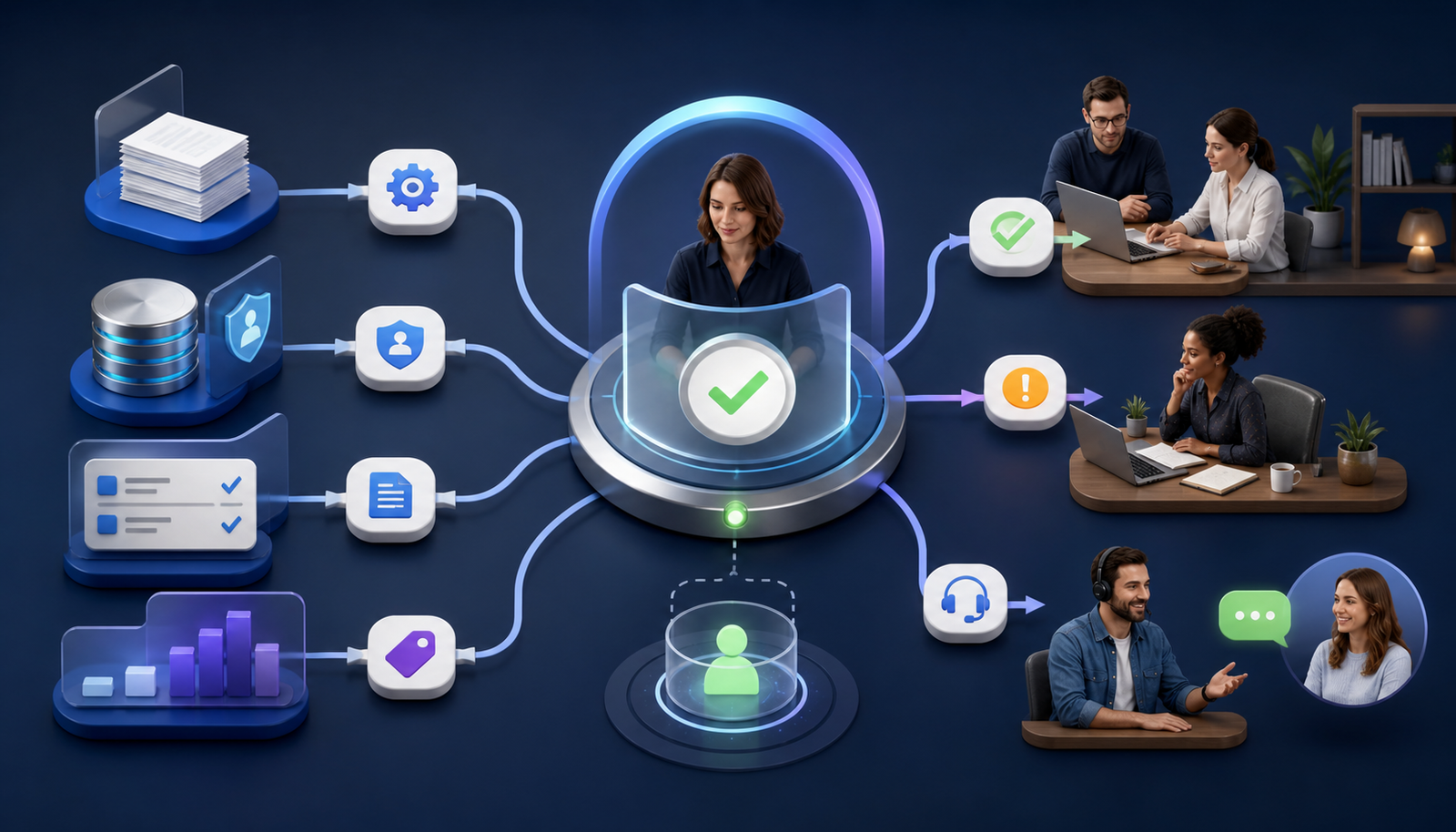
Do not fully automate every response. A human should review or take over when a workflow involves:
custom pricing, discounts, refunds or contractual commitments;
medical, legal, financial or safeguarding questions;
complaints, distress, threats or reputational risk;
ambiguous requests or low-confidence classifications;
large projects or strategically important customers;
personal data that is not needed for the task;
any promise the connected system cannot verify.
The UK Competition and Markets Authority has published guidance on using AI agents with consumers. Businesses remain responsible for giving customers accurate information, treating them fairly and making important terms clear. “The AI said it” is not a defence for a
 misleading price or promise.
UK GDPR and security checks before launch
Lead automation usually processes names, contact details, messages and sometimes sensitive information. Use only the data required for the stated purpose, define how long it is kept, restrict access and document which suppliers receive it.
The Information Commissioner's Office AI guidance explains how UK GDPR principles apply to AI systems and provides a risk toolkit. For cyber security, the National Cyber Security Centre recommends a secure-by-design approach, including careful handling of data and verified third-party components.
Before launch, check:
which systems receive customer data and where that data is stored;
whether staff accounts use strong authentication and appropriate permissions;
what happens when a model or integration is unavailable;
how a customer can reach a person or correct inaccurate information;
how errors, unusual outputs and failed messages are logged;
whether test data can be used instead of real customer records during setup.
How to choose what to automate first
Score each candidate process from one to five against five questions:
Frequency: How often does this task occur?
Time: How much staff time does it consume?
Clarity: Are the trigger, rules and desired outcome easy to describe?
Risk: What is the cost of a wrong action?
Measurement: Can you track whether the workflow improves the result?
The best first automation is frequent, time-consuming, clearly defined, low to moderate risk and easy to measure. Enquiry acknowledgement and internal routing usually score well. Custom quoting and complaint resolution usually need more human control.
Metrics that show whether it is working
Record a baseline before switching anything on. Then compare:
median time from enquiry to first useful response;
percentage of enquiries with complete information;
percentage assigned to the correct pipeline;
number of leads receiving an appropriate follow-up;
booking or qualified-opportunity rate;
staff minutes spent per enquiry;
customer opt-outs, corrections and complaints;
automation errors and human takeovers.
Do not judge the workflow by the number of messages it sends. Judge it by faster helpful responses, cleaner records, fewer forgotten leads and better customer outcomes.
Common mistakes to avoid
Automating a broken form: simplify the customer journey before connecting more tools.
Using AI for fixed rules: normal automation is more reliable for exact prices, dates and status changes.
Sounding artificially personal: a clear acknowledgement is better than pretending a machine has had a human conversation.
No escape route: customers and staff must be able to reach a person.
Connecting too many tools at once: begin with one workflow and one source of truth.
No owner: someone must review errors, update business information and approve changes.
Frequently asked questions
What is AI lead follow-up automation?
It is a workflow that uses AI and standard automation to capture enquiries, understand their content, update business systems, prepare responses and trigger follow-ups. Human approval remains in place for sensitive, unusual or high-impact decisions.
Can AI automatically reply to every customer enquiry?
It can acknowledge most enquiries, but it should not freely answer every question. Prices, availability, policies and promises must come from approved, current business information. Low-confidence or sensitive requests should be passed to a person.
Does a small business need a CRM first?
Not always, but it needs one reliable place to track the customer, status and next action. That may begin as a simple CRM or structured pipeline. Email threads and scattered spreadsheets make dependable follow-up much harder.
How much does AI lead automation cost?
Cost depends on enquiry volume, the number of connected systems, messaging charges, custom logic, security requirements and ongoing support. A narrow workflow using existing tools costs less than a multi-channel AI agent. Define the process and success metric before requesting a quote.
Will AI automation replace staff?
For most small service businesses, the immediate value is reducing repetitive admin and preventing missed follow-ups. People are still needed for judgement, trust, exceptions and customer relationships.
How long should a first automation take to launch?
A simple workflow can often be mapped and tested quickly, but it should go through test data, error scenarios and a supervised pilot before full use. Complexity rises when several systems, phone channels or regulated decisions are involved.
Build the process around your customers
Good automation should make your business feel more responsive, not less human. Start with one enquiry route, connect it to a clear pipeline, keep a person in control of important decisions and improve the workflow using real results.
Stars Web Studio builds websites, enquiry systems and AI automation for small businesses that work together. Explore our website and workflow portfolio, or tell us which repetitive process is costing your team time. We can map the process and show you a practical first step without automating more than the business needs.