Website Hosting and Maintenance for Australian Small Businesses: A 2026 Care Plan Guide
A practical Australian guide to secure hosting, tested backups, software updates, performance monitoring and reliable website support.

Article guide On this page
Website hosting and maintenance should keep a business site available, secure, recoverable and commercially useful after launch. Hosting provides the infrastructure; maintenance covers the continuing work around software, backups, monitoring, forms, integrations, speed and support. A dependable care plan joins those responsibilities and names their owners.
For an Australian small business, the practical questions are simple: Who controls the domain and DNS? Where do alerts go? Are backups separate and tested? Who checks the enquiry or booking journey? Our website hosting and maintenance service turns those answers into a clear operating plan.
A hosting account is not a complete care plan
Hosting may include server protection, a certificate and automated snapshots, yet leave the website application to the owner. Content-management updates, vulnerable extensions, broken forms, third-party integrations and recovery tests may sit outside the host’s scope.
Maintenance fills that gap. It provides a schedule for reviewing changes, applying updates safely, testing the customer journey, responding to alerts and restoring service when something goes wrong.
Four outcomes dependable website care should deliver
Availability: the domain, DNS, certificate and hosting remain active and monitored.
Security: administrator access is controlled, software is supported and vulnerabilities are addressed.
Recoverability: versioned backups are protected, retained appropriately and restoration-tested.
Performance: pages stay responsive, forms work, analytics remains useful and search engines can crawl the site.
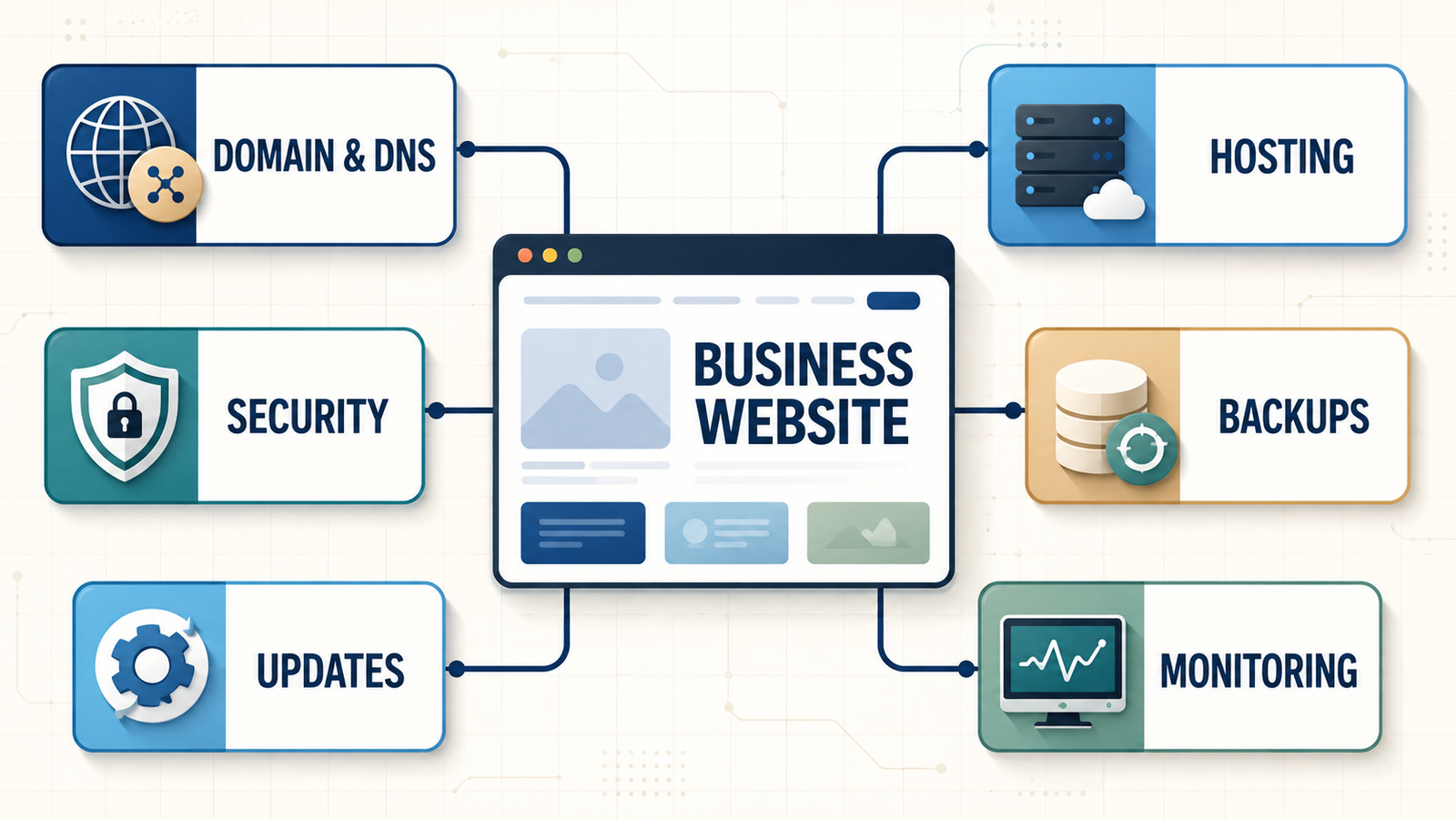
What an Australian hosting and maintenance plan should include
1. Domain and DNS ownership that stays with the business
The business should know its domain registrar, registrant details, renewal date, controlling email address and payment method. Record the DNS provider, name servers, important records and authorized contacts. Enable multi-factor authentication and make sure recovery does not depend on one employee or supplier.
An agency can manage DNS on the business’s behalf, but ownership and a documented handover route should remain clear. Losing domain access can interrupt the website, email and connected software simultaneously.
2. Hosting suited to Australian visitors and operating hours
Choose infrastructure for the application, traffic, storage, integrations and commercial importance of the site. Ask where the primary workload and backups run, how a CDN serves visitors around Australia, what resource limits apply, and whether support coverage matches the time zones in which the business operates.
Location alone does not make hosting fast or compliant. Architecture, caching, provider controls, data flows and contractual obligations all matter. Test real pages from the places your customers use the site.
3. Backups built for a usable recovery
The Australian Cyber Security Centre’s Small Business Cyber Security Guide highlights multi-factor authentication, software updates and backups as core measures. For a website, document:
which files, databases, uploads and configuration are protected;
how often backups run and how long versions are retained;
whether a copy is separated from the live website;
who can access or authorize restoration;
how backup alerts are handled; and
the date and outcome of the latest test restore.
Frequency should follow business activity. A busy booking or e-commerce site can lose valuable transactions between daily backups, while a static brochure site may have a wider acceptable recovery point.
4. Safe updates and supported software
Content-management systems, plugins, themes, frameworks and server components change over time. Updates may close known security weaknesses, but poorly tested changes can break layouts, forms or payment steps.
A safer workflow starts with a backup, assesses the update, tests higher-risk changes in staging, checks high-value customer journeys and keeps a rollback route. Unsupported extensions should be replaced, not ignored until they fail.
5. Security and personal-information safeguards
The Office of the Australian Information Commissioner’s security guide discusses reasonable technical and organisational steps for protecting personal information. Whether and how the Privacy Act applies depends on the entity and circumstances, so seek qualified advice when obligations are unclear.
The care plan should still apply sound controls: individual administrator accounts, MFA, least privilege, prompt removal of old users, encrypted connections and documented third-party access. Know what forms collect, where the data is sent, how long it is retained and who can retrieve it.
6. Uptime plus real customer-journey monitoring
A homepage can return a successful response while a contact form, booking calendar, payment gateway or confirmation email is failing. Test the paths that produce enquiries and revenue, including mobile navigation, Australian phone and address formats, error messages and delivery to the intended inbox or CRM.
Define which alerts are critical, who receives them, expected response times and what happens after hours.
7. Performance, search and tracking health
Hosting contributes to speed, but image weight, scripts, themes, database growth and third-party tools matter too. Monitor real templates, Core Web Vitals, broken links, crawl errors, redirects, Search Console messages and analytics collection. Check service-area and location content for accuracy instead of duplicating near-identical pages.
Routine care protects the technical foundation. Our SEO and Google visibility service can help when the opportunity extends beyond maintenance into content, local search and conversion.
8. The Notifiable Data Breaches scheme: check if it applies to you
Many small Australian businesses assume the Notifiable Data Breaches (NDB) scheme under the Privacy Act 1988 automatically applies to them. It often does not: businesses with an annual turnover of AU$3 million or less are generally exempt, unless they are a health service provider, a credit reporting body, handle tax file numbers, or fall into another covered category. If you are exempt, the NDB scheme's mandatory reporting duties do not apply to your website's data handling — though good backup, security and access practices still matter for your own protection and your customers' trust.
If your business is covered — or you are simply unsure — the rule is that a breach must be notified to the OAIC and affected individuals where unauthorised access, disclosure or loss of personal information is likely to result in serious harm that reasonable remedial action cannot prevent. You generally have 30 days to assess a suspected breach. Confirm with your accountant or a privacy adviser whether your turnover and business type bring you inside the scheme, and make sure your maintenance provider knows which category you fall into.
A practical maintenance schedule
Continuous or daily automated checks
Availability, DNS resolution and certificate expiry.
Backup completion, security events and resource-limit alerts.
Critical errors and priority transaction availability.
Weekly checks
Review available updates and vulnerability notifications.
Test the primary enquiry, booking or purchase journey.
Investigate failed jobs and unusual administrator activity.
Monthly checks
Apply planned updates after backup and testing.
Review performance, broken links, analytics and Search Console.
Confirm contact details, service areas, trading hours and key offers.
Remove unneeded access, plugins and integrations.
Quarterly checks
Perform a test restoration or recovery exercise.
Review accounts, plugins, integrations and data flows.
Test mobile usability, accessibility and high-value journeys.
Review storage, traffic and performance trends.
Annual checks
Confirm domain, hosting and licence renewals.
Review registrant details, recovery contacts and supplier access.
Assess whether hosting regions and the platform still suit the audience.
Audit ageing content and decide whether focused improvements or a website redesign are needed.
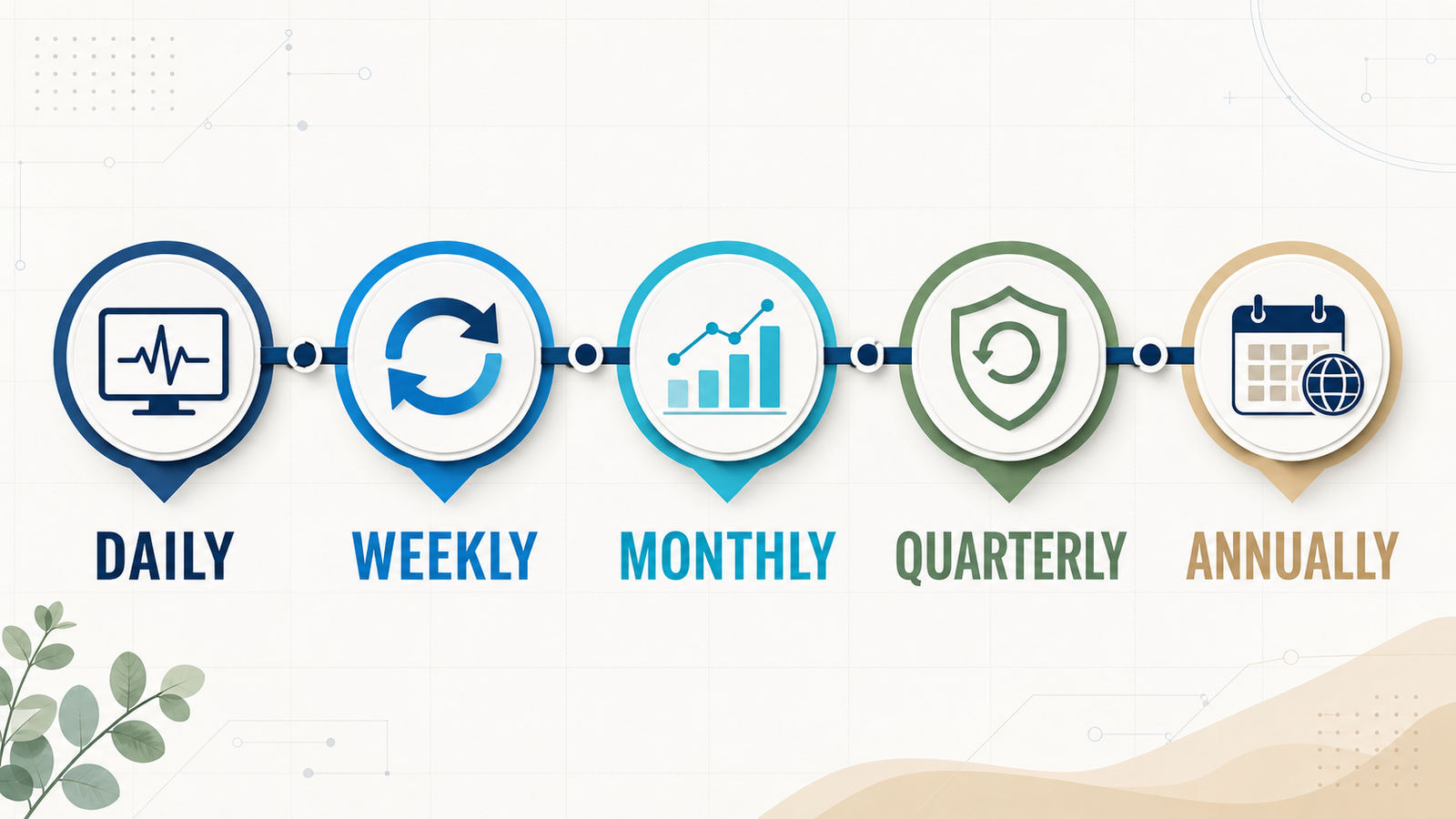
Managed maintenance or DIY?
DIY maintenance can work for a simple site when a named person has the time, access and skills to test updates and complete a recovery. It becomes risky when backups are assumed rather than verified, documentation is missing or nobody is available when a customer journey fails.
A managed plan is often a stronger fit when the site produces regular enquiries, handles bookings or payments, stores personal information, depends on custom integrations or needs a defined support route. The business should still retain ownership and visibility.
What affects website care costs in Australia?
Pricing depends on the platform, traffic, storage, backup frequency, update complexity, monitoring depth, response targets, included content changes and cost of downtime. E-commerce, membership and booking platforms generally require more testing than brochure sites.
Request a written scope in Australian dollars and confirm whether GST, third-party licences, the domain, certificate, CDN, email, staging, malware response, restores and after-hours support are included.
Changing hosts without avoidable SEO disruption
Google’s guidance for changing hosting infrastructure recommends preparing the new environment, testing it, updating DNS, monitoring traffic and retaining the old infrastructure until the move is confirmed.
Copy and test pages, media, forms, downloads and integrations.
Keep the same URLs unless a separate migration plan covers changes.
Preserve analytics and Search Console verification.
Check HTTPS, redirects, robots rules, canonicals and sitemaps.
Monitor errors, crawling, traffic and enquiries after the switch.
Keep a rollback plan and do not cancel the previous host too early.
Questions to ask an Australian care-plan provider
Will our business retain ownership of the domain and website accounts?
Where do the live site and backups run?
What is monitored, updated and tested?
How often are backups taken, retained and restoration-tested?
What happens after a security, uptime or form-delivery alert?
Which response targets and content changes are included?
How are administrator credentials protected and returned?
How can the service move to another supplier?
Frequently asked questions
Does an Australian business need Australian hosting?
Not always. Audience location, performance, data flows, contracts, industry requirements and privacy obligations can influence the choice. Document where the site and backups operate and seek qualified advice where compliance is uncertain.
What is the difference between hosting and maintenance?
Hosting provides the infrastructure that serves the website. Maintenance is the continuing work that keeps it updated, monitored, backed up, tested and supported.
How often should a small-business site be backed up?
Match backup frequency to the rate at which important data changes. Set an acceptable recovery point and recovery time, then prove the plan with test restores.
Does maintenance improve SEO?
It does not guarantee rankings, but it protects availability, HTTPS, crawlability, working links, mobile usability and performance—important foundations for visitors and search engines.
Can maintenance prevent every hack or outage?
No provider can promise zero incidents. Good care reduces avoidable risk, detects problems earlier and makes recovery more controlled.
Who should own the domain?
The business should normally remain the registrant and retain ultimate control. A supplier can manage technical settings while renewal and recovery details stay documented for the business.
Turn care into an operating process
A website should not depend on one person’s memory or an unread renewal reminder. Document accounts, automate routine checks, test recovery and assign clear ownership.
If you want your current setup reviewed, discuss website care with Stars Web Studio. We can assess the domain, hosting, platform, backups and support requirements, then define a practical scope for your business.