AI Automation for Small Businesses: Practical 2026 Guide
A practical guide to using AI automation for enquiries, follow-ups, bookings and routine operations without losing human oversight.

Article guide On this page
AI automation helps a small business complete repetitive work automatically, respond faster and keep customer information moving between tools. It does not require replacing people or rebuilding the entire company around artificial intelligence. The best first automation usually removes one frustrating delay from an existing process.
For example, a new website enquiry can be acknowledged instantly, assigned to the right person, added to a lead list and followed up if nobody replies. The customer gets a quicker response while the team spends less time copying information between inboxes and spreadsheets.
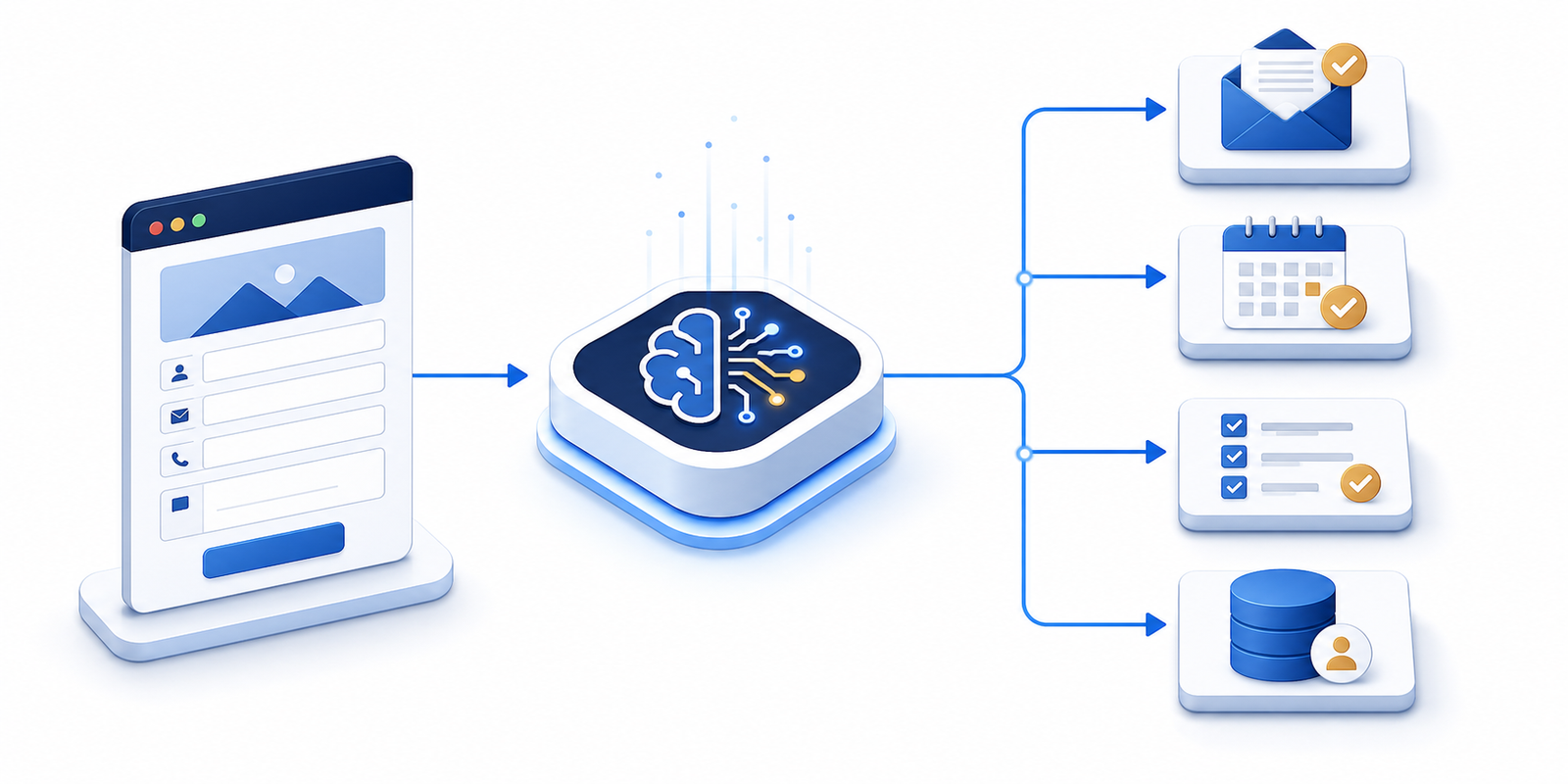
What does AI automation mean for a small business?
AI automation combines rules, connected software and AI models to complete or assist with routine tasks. Traditional automation follows a fixed instruction, such as sending a confirmation after a form is submitted. AI can add flexibility by classifying a message, summarising a conversation, drafting a response or extracting useful details from unstructured text.
The objective is not automation for its own sake. A useful workflow should improve response time, consistency, visibility or capacity. Stars Web Studio’s AI automation service focuses on practical customer-facing and operational workflows that support those outcomes.
Seven practical automation opportunities
1. Enquiry capture and acknowledgement
Connect website forms, chat and campaign landing pages to one lead process. Send an immediate acknowledgement, record the source and notify the responsible person. A fast first response reassures the customer without pretending that an automated message is a final answer.
2. Lead qualification and routing
Collect the information needed to direct an enquiry: service, location, budget, urgency or business type. AI can summarise longer messages, but important decisions and high-value opportunities should still reach a person. Well-designed booking and contact forms give the workflow reliable information from the start.
3. Follow-up reminders
Create reminders when a quotation, consultation or enquiry has not received a response. The workflow can prepare a helpful follow-up while a team member decides whether it should be sent. This prevents promising leads from disappearing because somebody was busy.
4. Frequently asked questions
An AI assistant can answer routine questions using approved business information and direct visitors to the right page. It should clearly identify when it is automated, avoid inventing policies or prices and offer a straightforward route to a human. Keep the knowledge source current as services change.
5. Appointment and booking administration
Automations can share booking links, send confirmations, issue reminders and collect preparation details. They reduce administration while the actual booking rules remain controlled by the business. Test time zones, cancellations, rescheduling and duplicate submissions before launch.
6. Internal summaries and handovers
Long enquiries, call notes or support conversations can be summarised into a consistent record. A useful summary highlights the customer’s goal, relevant dates, promised actions and the next owner. Sensitive information should only be sent to approved systems with appropriate access.
7. Review and feedback requests
After a completed service, a workflow can ask for feedback and route unhappy customers to the team before requesting a public review. Timing and frequency matter: automated communication should feel helpful, not relentless.
Where should a small business start?
Choose one repeated process. Look for copying, waiting, missed follow-ups or frequent questions.
Map the current steps. Record who owns each action and which systems contain the information.
Define the desired result. Use a measurable outcome such as faster first response or fewer missed appointments.
Protect customer data. Limit access, collect only what is needed and review supplier settings.
Keep a human checkpoint. Require approval where a mistake could affect a customer, price, contract or reputation.
Test exceptions. Check incomplete forms, unusual requests, failed connections and duplicate records.
What should not be automated first?
Avoid starting with a process that is unclear, rarely repeated or constantly changing. Do not allow an untested system to make promises, issue refunds, set final prices or give regulated advice. Automation scales both good and bad processes, so simplify the workflow before adding technology.
Customer-facing AI also needs boundaries. Define approved information, escalation triggers, tone of voice and what happens when the system is uncertain. Keep logs that make important actions understandable and review the workflow regularly.
How to calculate whether automation is worthwhile
Estimate the number of times the task occurs, the minutes spent each time and the business cost of delays or mistakes. Then include software fees, setup, monitoring and maintenance. The best opportunity is often not the task with the most impressive technology—it is the task that removes a dependable amount of friction every week.
Automation works especially well when it connects a clear website journey to a clear internal process. Review the wider customer experience through our website design service, or explore examples in the Stars Web Studio portfolio.
Frequently asked questions
Is AI automation expensive?
Cost depends on the number of systems, workflow complexity, usage and the level of monitoring required. A focused first workflow is usually easier to justify than automating several departments at once.
Will automation replace employees?
For most small businesses, the immediate value is helping a small team handle routine work consistently. People remain responsible for judgment, relationships and exceptions.
Can automation work with an existing website?
Often, yes. Forms, chat, email, calendars and customer-management tools can frequently be connected without replacing the whole site. The existing setup should be reviewed for security and data quality first.
How quickly can we start?
A simple, well-defined workflow can often be prototyped quickly. More complex integrations need discovery, testing and a safe fallback process.
Start with one useful workflow
Choose a repetitive task, define the boundaries and measure the result. If you want help identifying the best opportunity, request a free demo or contact Stars Web Studio for a practical review.