How Body Shops Can Get More Repair Quotes from Photos
Most bodywork is priced on inspection. A simple photo quote route by WhatsApp, text or a short form saves time on every enquiry. Here is how to set one up on your body shop website.
Article guide On this page
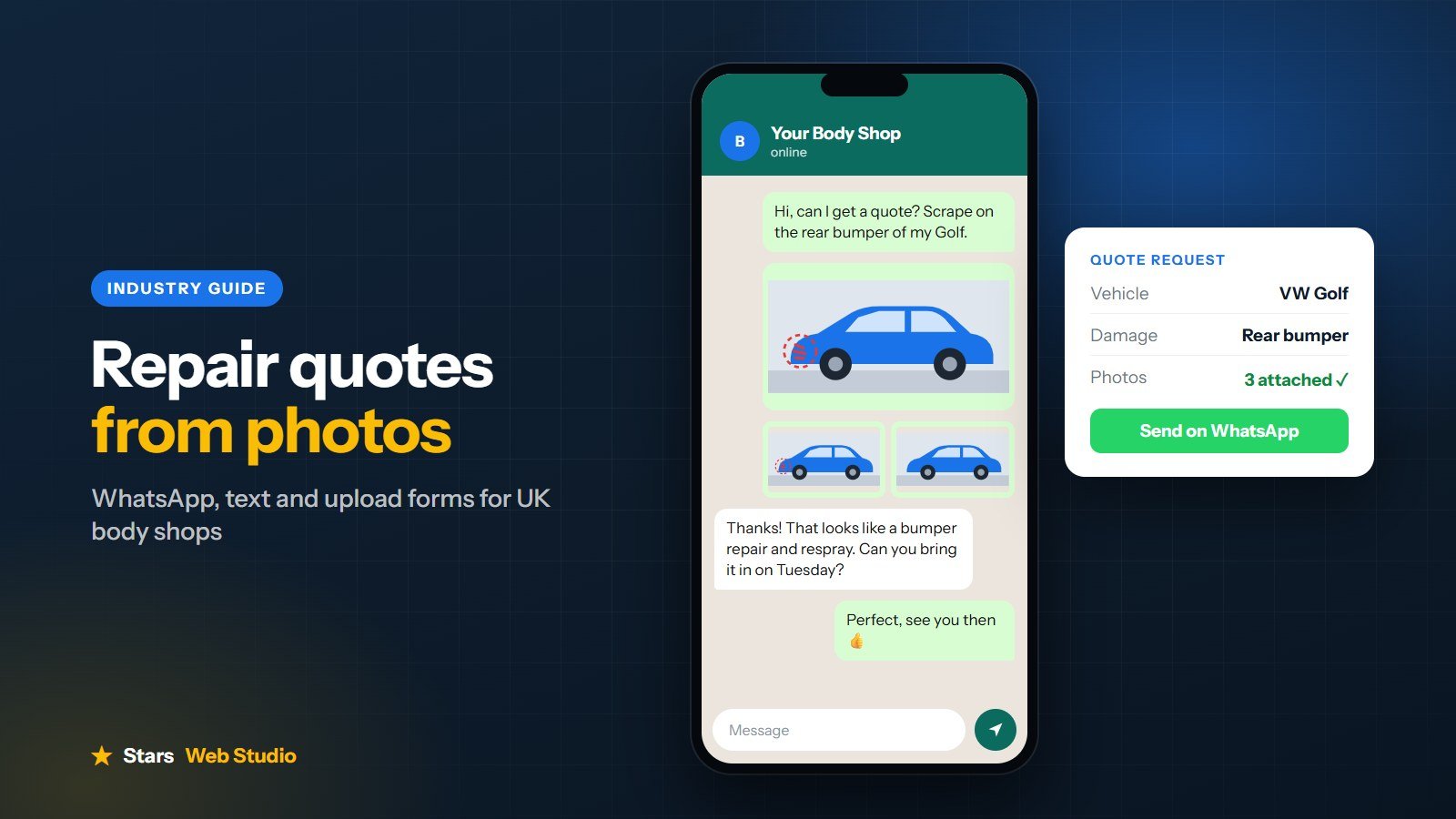
Quick answer: Add a photo quote route to your website. That can be a WhatsApp or text button that opens a ready-written message, or a short form that asks for the vehicle, the damage and a few photos. Customers send everything in one go, and you can give them a rough idea before they drive over.
Why photo quotes matter for body shops
Very little bodywork can be priced from a list. Almost every enquiry starts the same way: what car is it, where is the damage, and can you send a picture? If that conversation only happens by phone, it relies on you being free to answer and the customer being able to describe a dent in words.
Drivers also tend to look for a repairer at awkward times, often in the evening after the damage has happened. Many contact more than one shop. The shop that makes it easiest to send photos, and replies clearly, is in a strong position to win the job.
Three ways to take photo quotes
1. A WhatsApp button with a prefilled message
Most customers already use WhatsApp, and attaching photos is second nature. A button on your website can open a chat with your business number and a message already started, such as "Hi, I would like a quote for my car. The damage is to the...". The customer adds photos and presses send.
2. A text message button
Not everyone uses WhatsApp, so a text option is a useful backup. It works the same way: the button opens the customer's messages app with your number and a short message ready to go. The H I Bodyworks website uses this approach, so enquiries arrive as a text even when the shop is closed.
3. A short upload form
A form that sends photos and details by email suits shops where more than one person handles quotes, or where you want every enquiry in one inbox. Keep it short. Every extra field is another reason to give up.
You do not have to pick just one. The Quikfix Auto website asks a few questions with dropdowns, then lets the customer choose WhatsApp or text to send the finished message with their photos.
What to ask customers for
The vehicle make and model, or the registration
Where the damage is, such as front bumper or rear passenger door
What happened, for example a scrape, a dent or an accident
Two to four photos of the damage
Their name and the best way to reply
Whether it is an insurance claim, if that affects how you handle the job
Help customers take useful photos
A line or two of guidance next to the button saves a lot of back-and-forth:
Take photos in daylight if possible, and avoid flash glare
Include one photo of the whole side or end of the car from a few steps back
Add one or two close-ups of the damage
Take one photo at an angle, which shows dents better than straight on
Set clear expectations
Be honest that a photo estimate is a guide and the final price is confirmed when you see the car. Say roughly how quickly you reply, and show your opening hours, so customers are not left wondering whether their message has been seen.
Where to put the photo quote button
In the hero, at the top of your home page
In a sticky call and quote bar on mobile
Next to your list of repairs
Below your gallery of finished work, where interest is highest
On your contact page
Common mistakes to avoid
Long forms that ask for everything before the customer has decided to use you
A WhatsApp number that nobody checks
No mention of how quickly you reply
Hiding the quote option behind a general "Contact us" page
Using stock photos instead of your own finished work
Next steps
A photo quote route works best on a website that already shows your real work and reviews. See how we approach body shop website design, or ask for a free homepage concept for your shop before you decide.