How UK Salons Can Get More Bookings from Google While Still Using Fresha
Already using Fresha? Learn how UK salons can combine Google Business Profile, their own website and Fresha booking links to attract more local clients and make booking easier.
Article guide On this page
If your salon already uses Fresha, you have solved an important part of the customer journey: clients can check availability and book online.
But a booking system and a customer-acquisition system are not the same thing.
A potential client still needs to discover your salon, understand your treatments, trust your work and decide that you are the right choice before they ever reach the booking calendar.
For many UK beauty businesses, the strongest setup is therefore not website versus Fresha. It is:
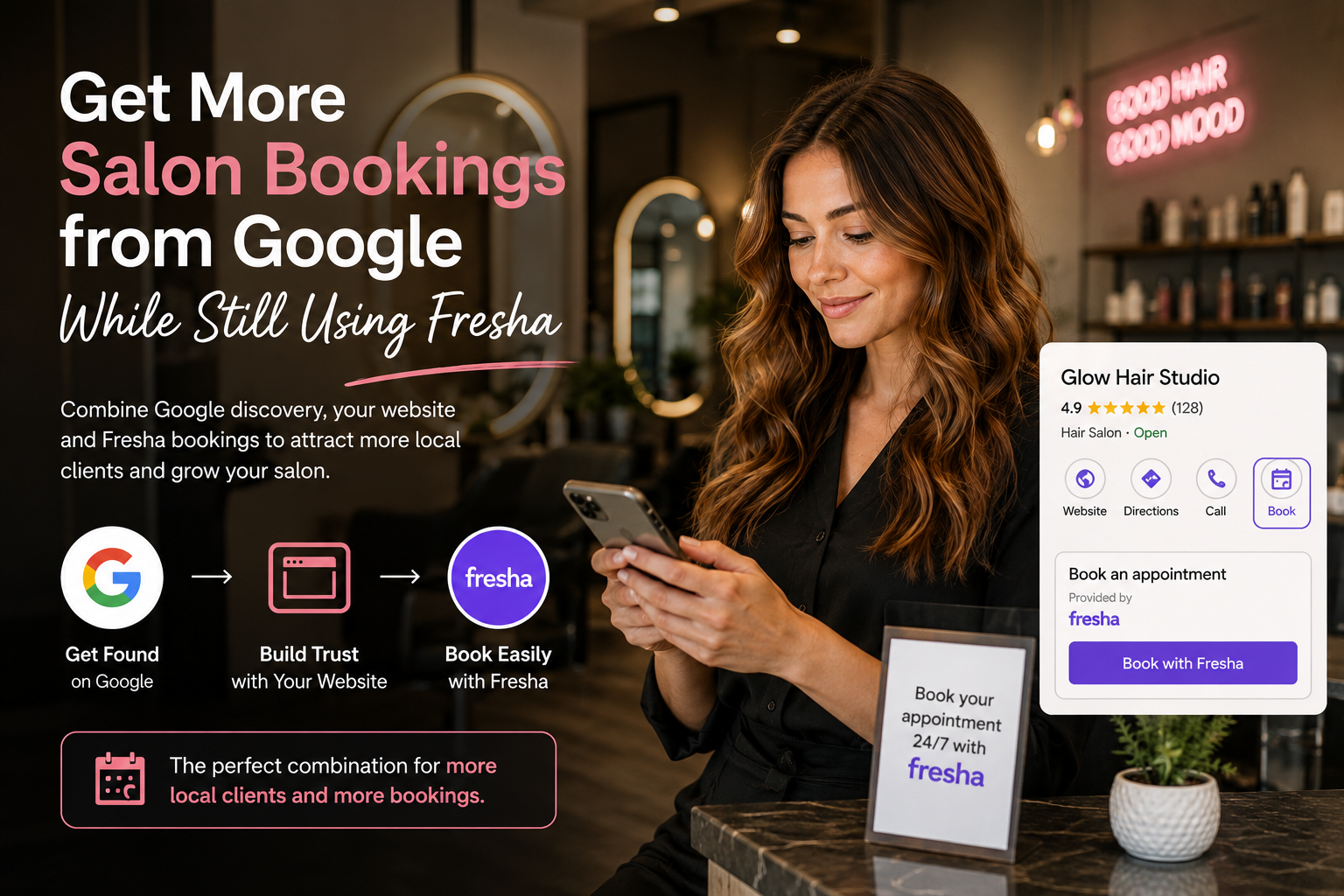
Google helps people discover you → your website helps them choose you → Fresha helps them book.
And in some cases, eligible salons can shorten that journey further by allowing clients to book through Google Search or Maps using Fresha's Reserve with Google integration.
This guide explains how hair salons, nail salons, lash and brow studios, beauty salons, spas and other UK beauty businesses can make those channels work together instead of treating them as competing platforms.
The Ideal Google-to-Fresha Booking Journey
| Stage | What the client needs | Best channel |
|---|---|---|
| Discovery | Find a suitable salon nearby | Google Search and Google Maps |
| Comparison | Check treatments, photos, prices, reviews and location | Google Business Profile and your website |
| Trust | Understand why your salon is the right choice | Your website, reviews, portfolio and team information |
| Booking | See availability and reserve an appointment | Fresha |
| Return booking | Book again with minimum friction | Fresha booking links and client relationship |
A salon website should not try to rebuild the appointment calendar that Fresha already manages well. Its job is to improve everything that happens before the booking and make the handoff to Fresha extremely easy.
1. Start with Your Google Business Profile
For a local salon, Google Business Profile is one of the most important discovery surfaces.
Someone searching for:
hair salon near me;
balayage Manchester;
lash extensions Birmingham;
nail salon Leeds;
facial treatments Bristol;
may see local businesses in Google Search or Maps before they see ordinary website results.
Google says local results are mainly influenced by relevance, distance and prominence.
Relevance — how well your business matches what the client searched for.
Distance — how close your salon is to the searcher or searched location.
Prominence — how established and well-known the business appears online.
You cannot optimise away physical distance, but you can improve how clearly Google understands your salon.
Check that your Business Profile contains accurate:
salon name;
primary business category;
additional relevant categories;
address;
telephone number;
opening hours;
website URL;
services;
photos;
booking information.
Read Google's official local ranking guidance.
2. Connect Fresha to Google Search and Maps
Fresha supports Reserve with Google, which can allow eligible beauty and wellness businesses to show a booking button directly on their Google Business Profile.
A booking made through Google can then be sent into the salon's Fresha calendar with the relevant availability.
This reduces the number of steps between “I found this salon” and “My appointment is booked.”
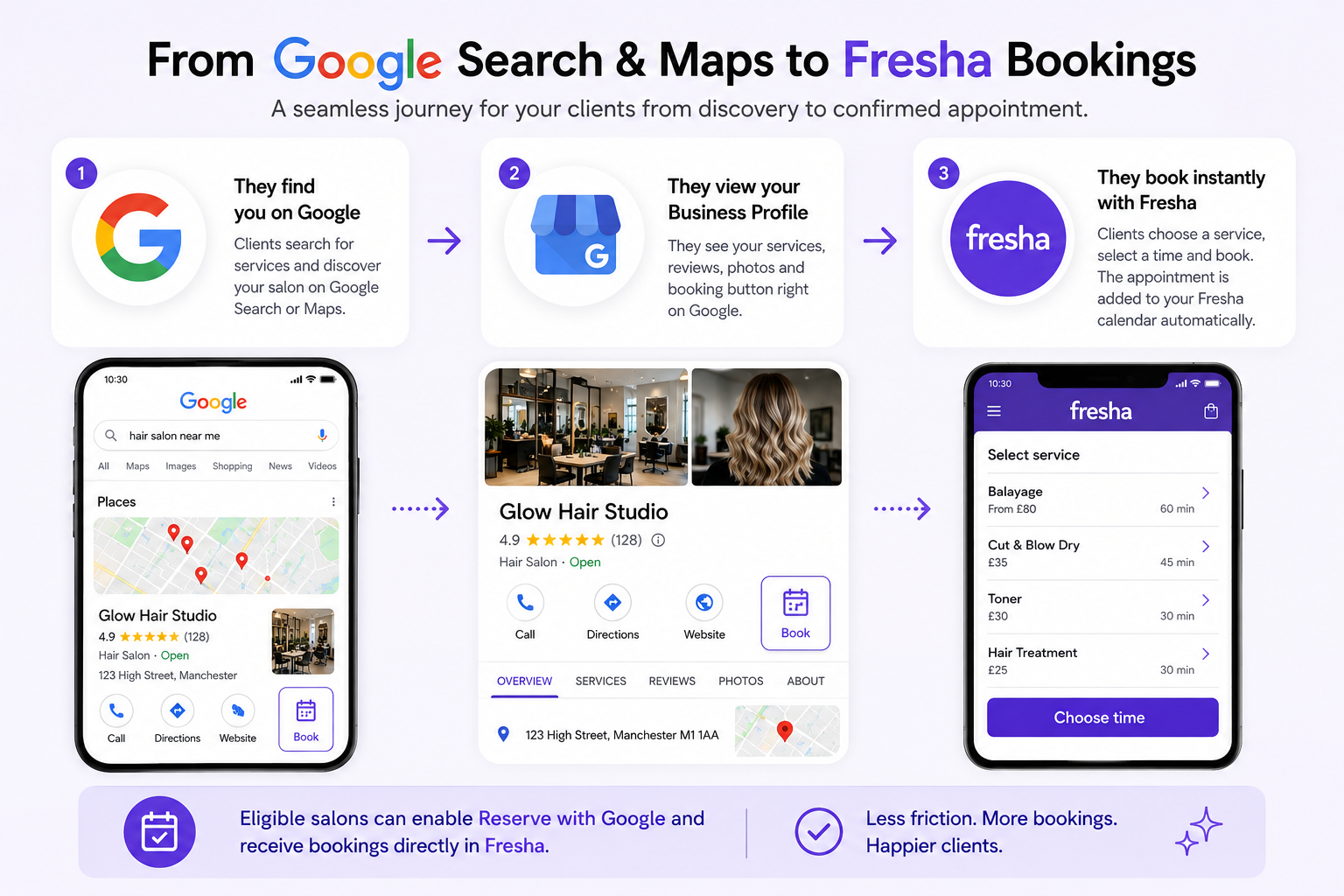 Eligible salons can reduce booking friction by connecting Google discovery with their Fresha booking calendar.
Important checks for Reserve with Google
Your business should have a Google Business Profile.
The business name and location address on Google should match the information in Fresha.
Your Fresha Marketplace profile needs to be published where required by the integration.
Your staff need appropriate availability in the calendar.
Services should contain valid pricing where required.
The business must fall within supported beauty and wellness categories.
If the Google booking button is missing, check Fresha's current integration requirements rather than repeatedly editing your Google profile at random.
See Fresha's current Reserve with Google requirements.
3. Don't Use Fresha as a Replacement for Your Entire Online Presence
Fresha is excellent at handling appointments, staff availability, services and the booking process.
But your own website can answer questions that a marketplace profile or booking screen is not designed to answer in depth.
Why should I choose this salon?
Is this stylist experienced with my hair type?
What does this treatment actually involve?
Can I see real before-and-after results?
What brands or techniques does the salon use?
Is there parking nearby?
What should I do before my appointment?
What is your cancellation policy?
Do you offer consultations?
A booking platform answers “When can I book?”
A good salon website answers “Why should I book with you?”
If you are still deciding whether a salon needs both, read our related guide: Do I need a website if I use Fresha, Booksy or Treatwell?
4. Keep Your Website URL and Booking Link Doing Different Jobs
Google Business Profile can support business links that help customers take actions such as booking an appointment.
Where the relevant options are available, a sensible setup is:
Website: your own salon website;
Booking: your Fresha booking flow or supported booking integration.
A returning client who already trusts you may simply press Book.
A new client comparing several salons may want to visit the website first, look at your work, understand treatments and learn about your team.
Google explains Business Profile booking and action links here.
5. Create Useful Pages for the Treatments People Actually Search For
One of the biggest advantages of having your own website is the ability to create useful pages around important treatments.
Instead of one page containing:
Hair · Nails · Lashes · Brows · Facials · Massage
you can properly explain important services.
A hair salon might have useful pages for:
balayage;
hair colouring;
keratin treatments;
hair extensions;
bridal hair;
curly hair services;
while a lash and brow studio may focus on:
classic lash extensions;
hybrid lashes;
Russian volume lashes;
lash lifts;
brow lamination;
Each useful treatment page can answer what the treatment is, who it is suitable for, preparation and aftercare, your location, real examples, FAQs and how to book.
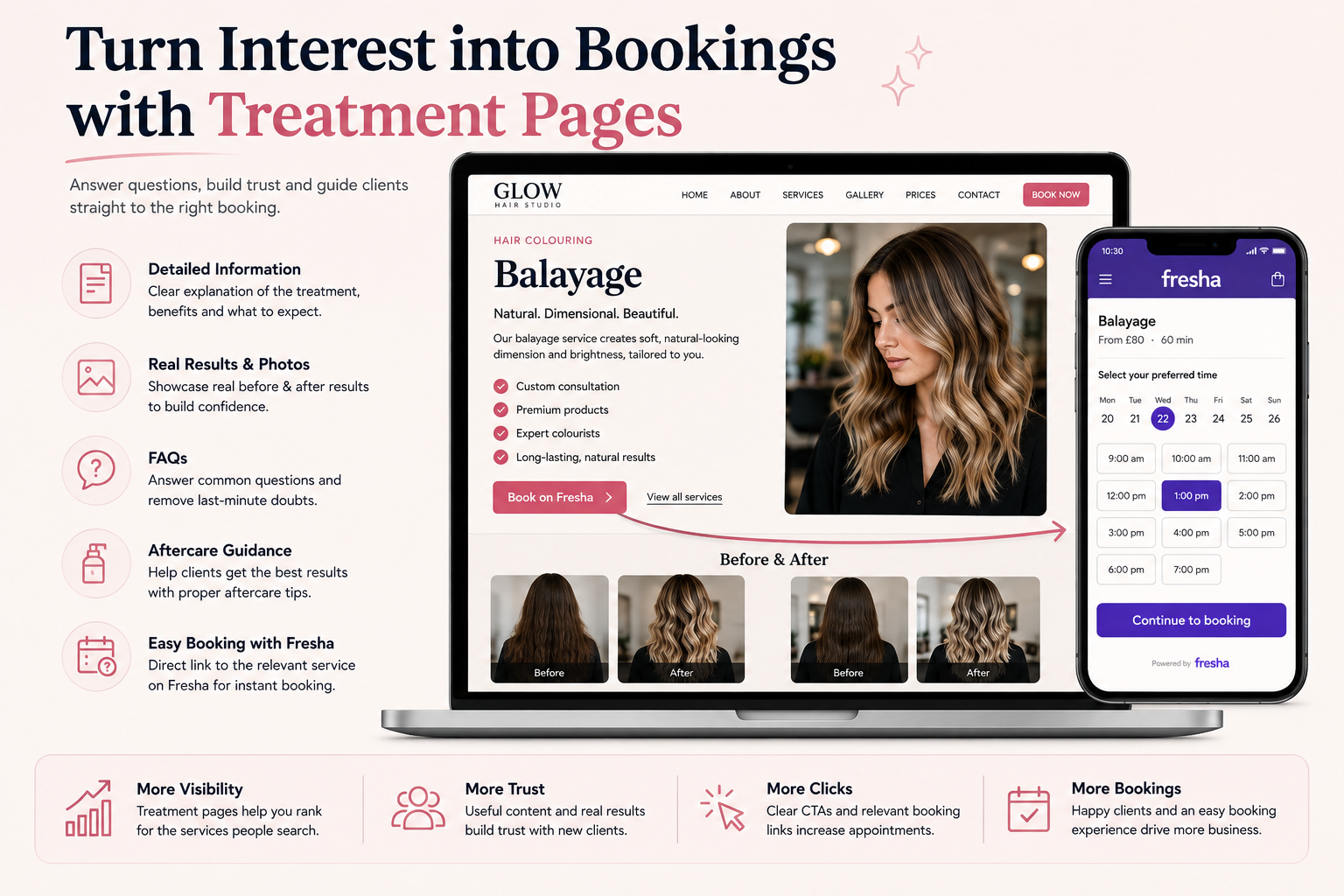 A treatment-specific page can answer questions and build confidence before directing the client into the relevant booking flow.
6. Don't Send Every Visitor to a Generic Fresha Homepage
If someone has just read an entire page about balayage, the best next action is not necessarily asking them to search through every treatment in your booking profile.
Where Fresha's link options allow it, use a more specific booking link for the relevant treatment, category or team member.
Fresha provides booking links that can be shared online and incorporated into websites.
See Fresha's guidance on booking links.
7. Make the Book Now Button Impossible to Miss
Once a visitor decides they want the treatment, do not make them search for the booking button.
Booking calls to action should normally be available in obvious places such as:
the main navigation;
the homepage hero;
treatment pages;
stylist or therapist profiles;
the bottom of important pages;
mobile navigation.
Use clear language such as Book an Appointment, Book on Fresha, Check Availability or Book Your Consultation.
8. Design the Website for Mobile Clients
Beauty bookings frequently happen while someone is browsing on a phone.
A potential client may discover a hairstyle on Instagram, search your salon on Google, open your website, compare treatments and then book — all from the same device.
Your mobile website therefore needs:
fast loading;
easy-to-read text;
large tap targets;
simple navigation;
clear treatment information;
prominent booking buttons;
responsive galleries;
no intrusive pop-ups blocking the booking journey.
9. Use Real Salon Photography to Build Trust
Beauty is visual.
Generic stock images may make a page look polished, but they do not prove what your salon can actually deliver.
Where possible, show:
real treatment results;
the salon interior;
your team;
workstations and treatment rooms;
before-and-after examples where appropriate and consented;
products or brands genuinely used;
the real client experience.
10. Make Your Google, Website and Fresha Information Match
Check that important business details agree across:
Google Business Profile;
your salon website;
Fresha;
Instagram;
Facebook;
other important listings you actively maintain.
Pay particular attention to your business name, address, telephone number, opening hours, services and booking availability.
11. Build Reviews on the Places Clients Actually Check
Reviews help clients decide whether to trust a salon they have never visited before.
Fresha has its own review ecosystem, while Google reviews appear where people are already searching locally.
Create a consistent process for inviting genuine clients to provide honest feedback and respond professionally to both positive and negative reviews.
12. Make Google Understand the Services You Want More Bookings For
If your salon wants more balayage bookings but your website barely mentions balayage, there is a disconnect.
The same principle applies to lashes, nails, aesthetics, facials, massage, bridal services, extensions, colour correction and specialist skin treatments.
Your website, Google Business Profile and Fresha menu should tell a consistent story about the services the salon genuinely provides.
13. What Your Website Adds Alongside Fresha
| Need | Website | Fresha |
|---|---|---|
| Explain treatments in depth | Excellent | Booking-focused service descriptions |
| Show live availability | Usually links to booking system | Core strength |
| Manage appointments | Not necessary when Fresha is used | Core strength |
| Build your own brand experience | Full control | Within Fresha's platform |
| Create SEO-focused treatment content | Strong opportunity | More limited |
| Show detailed portfolios | Full control | Profile/gallery features |
| Accept appointments 24/7 | Through booking integration | Yes |
| Book through Google | Can support discovery and booking links | Reserve with Google for eligible profiles |
The goal is not to duplicate everything Fresha does. The goal is to let each platform do what it does best.
14. Measure Bookings, Not Just Website Visitors
A salon website receiving 1,000 visitors is not automatically more successful than one receiving 200.
The important actions are:
Fresha booking-button clicks;
consultation enquiries;
phone calls;
confirmed appointments;
repeat clients.
At minimum, website analytics should track clicks on Fresha booking buttons, click-to-call actions, contact-form submissions and important treatment-page visits.
15. A Practical Setup for a UK Salon Using Fresha
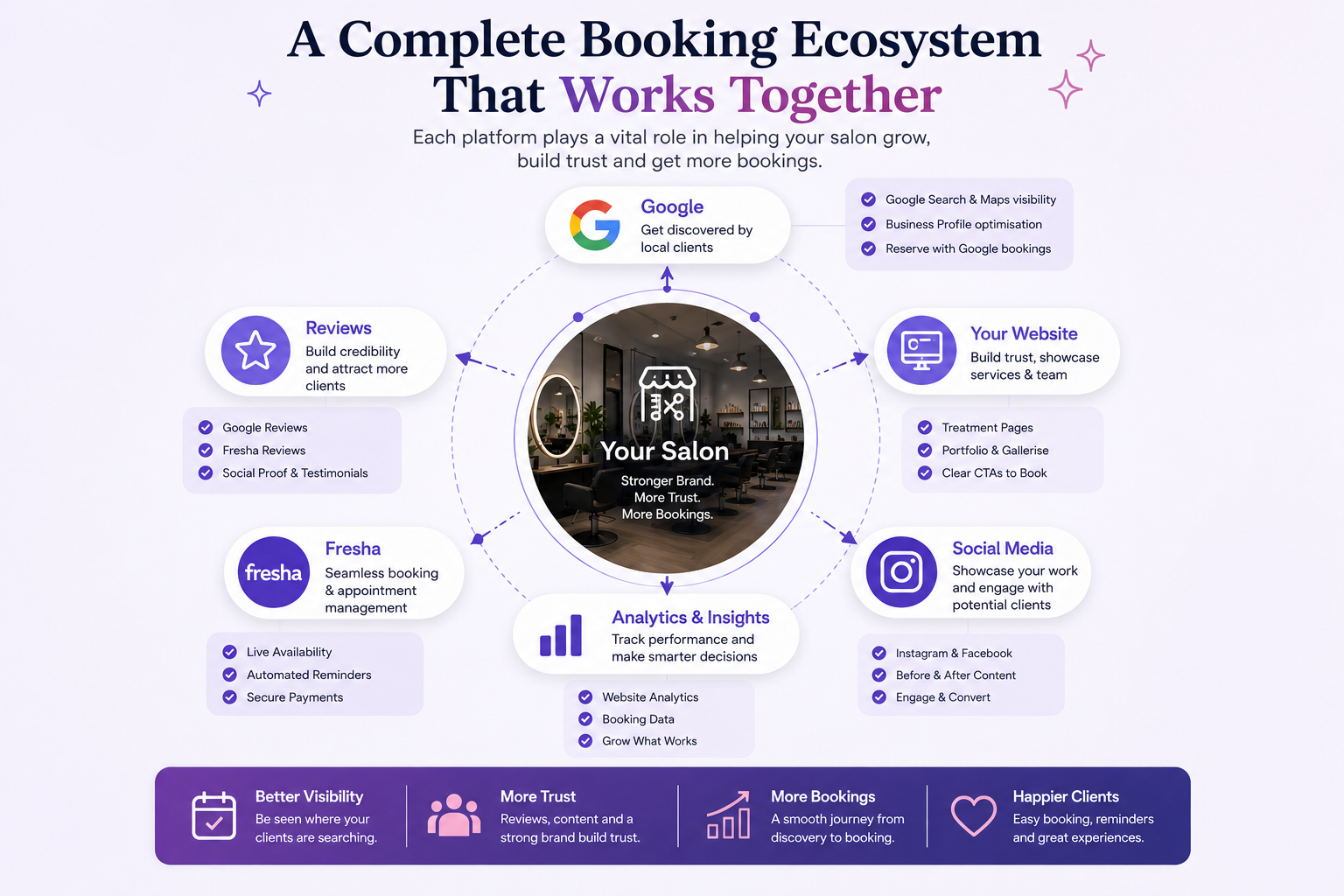 A strong salon booking strategy connects discovery, trust, reputation and appointment scheduling instead of relying on one platform alone.
A sensible setup might look like this:
Google Business Profile — complete, accurate and actively maintained.
Reserve with Google — enabled if your salon meets current eligibility requirements.
Professional website — explains treatments, team, results, location and reasons to choose the salon.
Treatment pages — useful pages for important services you want to promote.
Fresha booking links — connected to obvious booking buttons throughout the website.
Google and Fresha reviews — genuine customer feedback built consistently.
Analytics — track which pages and channels actually lead towards appointments.
Common Mistakes to Avoid
Sending every visitor straight to Fresha before they understand the salon
Returning clients may be ready to book instantly. New clients may still need treatment information, evidence and reassurance.
Hiding the Fresha booking button
If Fresha is your booking system, make that relationship clear and make booking easy.
Using only Instagram as your treatment portfolio
Instagram is useful, but an organised website gives important treatments permanent pages that do not disappear down a social feed.
Leaving old opening hours or prices online
Keep information accurate across Google, your website and Fresha.
Creating a beautiful website that does not help people book
Visual quality matters, but every important page should give an interested visitor an obvious next step.
Creating dozens of thin treatment or town pages for SEO
Create pages because they genuinely help potential clients, not simply because a keyword exists.
Frequently Asked Questions
Do I still need a website if I use Fresha?
Fresha and a website solve different problems. Fresha handles booking and marketplace discovery, while a website gives you greater control over your brand, treatment content, portfolio, search visibility and client journey.
Can clients book Fresha appointments directly from Google?
Eligible beauty and wellness businesses can use Fresha's Reserve with Google integration. When the profiles meet current requirements, appointments can be initiated through Google Search or Maps and sent into Fresha.
Can I put a Fresha booking button on my own website?
Yes. Fresha provides booking links and website booking options designed to send visitors into the salon's booking flow.
Should my Google website link go directly to Fresha?
If you have your own website, it is generally useful to keep that as the main website destination and use booking functionality for appointment-ready clients. This gives new clients an opportunity to learn about the salon before booking.
Will connecting Fresha to Google make my salon rank number one?
No. Booking integration reduces booking friction but does not guarantee local rankings. Google says local results are mainly influenced by relevance, distance and prominence.
Do I need separate pages for every treatment?
No. Create dedicated pages for important treatments where you can provide genuinely useful information. Avoid thin pages that repeat the same content with only a service or town name changed.
Should I use Fresha reviews or Google reviews?
Both can be useful because clients encounter your business on different platforms. Focus on genuine feedback rather than trying to manipulate ratings.
The Bottom Line
Using Fresha does not mean your salon has to choose between a booking platform and its own website.
A stronger strategy gives each channel a clear role:
Google helps nearby clients discover you.
Your website helps them understand and trust you.
Fresha makes the final appointment easy to book.
For eligible salons, Reserve with Google can make that journey even shorter by connecting Search and Maps with the Fresha booking calendar.
The goal is not more technology. It is fewer barriers between searching, choosing and booking.
If you already use Fresha but your current website does not showcase your treatments or move visitors smoothly towards booking, request a free website demo from Stars Web Studio.