Website Hosting and Maintenance for Canadian Small Businesses: A 2026 Care Plan Guide
A practical Canadian guide to secure hosting, tested backups, privacy-aware maintenance, performance monitoring and dependable website support.

Article guide On this page
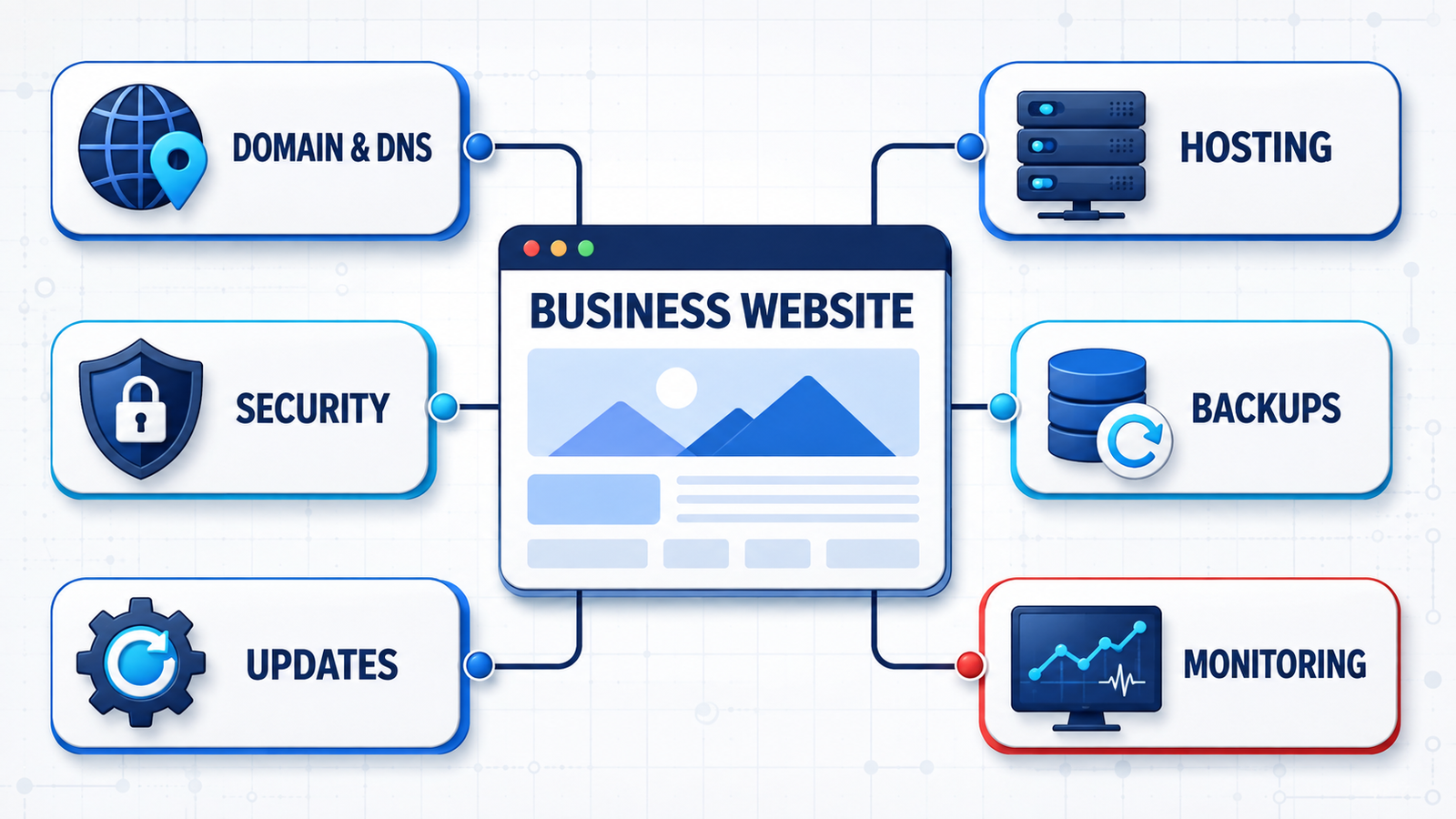
A business website stays dependable only when hosting, maintenance and accountability work together. Hosting supplies the environment that serves the site; maintenance covers updates, backups, monitoring, performance, forms, integrations and recovery. A good care plan explains who owns every account and what happens when something fails.
For a Canadian small business, that clarity matters across the whole chain: domain registration, DNS, hosting, certificates, software, customer data, email delivery and analytics. Our website hosting and maintenance service turns those moving parts into one documented operating plan.
Hosting and maintenance solve different problems
Basic hosting may keep a website online and include server snapshots, but it does not necessarily update the website application, test lead forms, repair integrations or verify that a backup can be restored. Those responsibilities often sit between the host, web agency and business owner.
Maintenance defines the missing routine: review alerts, assess updates, protect administrator access, test high-value journeys and practise recovery. Without that routine, a site can technically be “hosted” while a booking form or payment notification has been broken for days.
The four outcomes a care plan should protect
Availability: the domain, DNS, certificate and hosting remain active and monitored.
Security: access is controlled, software is supported and vulnerabilities are handled promptly.
Recovery: versioned backups are protected, retained appropriately and tested.
Business performance: pages stay fast, forms work, tracking remains reliable and search engines can crawl the site.
What a Canadian website care plan should include
1. Clear domain, DNS and account ownership
The business should know who is listed as the domain registrant, where the domain renews and which email address controls recovery. Record the registrar, renewal date, DNS host, name servers, important records and authorized contacts. Turn on multi-factor authentication and keep recovery information with at least two trusted people.
If an agency manages DNS, the agreement should still state that the business retains ownership and can receive a complete handover. Domain control affects the website, email and often other cloud services.
2. Hosting selected for Canadian customers and business needs
Choose hosting for the application, traffic, storage, database load, integrations and tolerance for downtime. Ask where data and backups are stored, what support hours apply across Canadian time zones, whether a CDN is included and how the platform handles sudden traffic.
Data location is only one part of privacy and risk management. The right decision depends on the type of information collected, contractual obligations, industry rules and the provider’s safeguards. Document the answer instead of assuming that a “Canadian” brand means every system remains in Canada.
3. Backups designed around recovery
The Canadian Centre for Cyber Security’s measures for small and medium organizations recommend backing up and encrypting data, limiting access and regularly testing restoration. A website plan should record:
the files, database, uploads and configuration included;
backup frequency and retention periods;
whether at least one copy is separated from the live environment;
encryption and access controls for backup storage;
who can authorize a restore; and
the latest successful recovery test.
Recovery objectives should follow business activity. An online store or appointment platform may need a much shorter acceptable data-loss window than a brochure website.
4. Controlled updates and supported components
Web platforms, plugins, themes, frameworks and server packages change over time. Updates can resolve known vulnerabilities, but poorly tested work can break checkout, forms or layout. A safe process begins with a backup, assesses the change, tests higher-risk updates away from production, checks important journeys and preserves a rollback route.
Unsupported components should not remain indefinitely. The care plan should define who monitors advisories, how quickly urgent patches are reviewed and when a replacement requires a separate project.
5. Privacy-aware security and administrator access
The Office of the Privacy Commissioner of Canada’s safeguards guidance says organizations should protect personal information according to its sensitivity and review safeguards regularly. Provincial and sector-specific rules may also apply.
For the website, use individual accounts, MFA, least-privilege roles and a documented process for removing former staff or suppliers. Know what personal information forms collect, where it goes, how long it is retained and which third parties can access it. Maintenance supports good privacy operations, but it is not legal advice or a guarantee of compliance.
6. Monitoring the journeys customers actually use
Homepage uptime is not enough. Test quote forms, bookings, payments, login, confirmation messages, file downloads and delivery to the correct mailbox or CRM. Include mobile journeys and common Canadian address, postal-code and telephone formats where relevant.
Define what counts as critical, who receives an alert, who investigates and how escalation works outside ordinary support hours.
7. Performance, search visibility and analytics
Hosting influences speed, but so do images, scripts, database growth, themes and third-party tools. Review Core Web Vitals, slow templates, broken links, crawl errors, redirects, analytics collection and unexpected indexing changes. For a bilingual or multilingual site, also check language navigation, hreflang implementation and equivalent high-value content.
Routine technical care protects the foundation. Our SEO and Google visibility service can support deeper content and search work when monitoring reveals a broader opportunity.
8. Breach notification duties under PIPEDA
Unlike some other markets, PIPEDA gives no exemption for small businesses. If your website collects names, emails, payment details or any other personal information in the course of a commercial activity, you are subject to PIPEDA's breach reporting rules regardless of your size. Where a breach creates a real risk of significant harm — financial loss, identity theft, damage to reputation or similar — you must notify the Office of the Privacy Commissioner of Canada and the affected individuals as soon as feasible, and keep a record of every breach of security safeguards, reportable or not, for at least two years.
Non-compliance carries fines of up to $100,000 CAD per offence. Ask your maintenance provider whether their incident process includes drafting that record and assessing "real risk of significant harm" quickly — a documented, tested process is what turns a stressful incident into a manageable one.
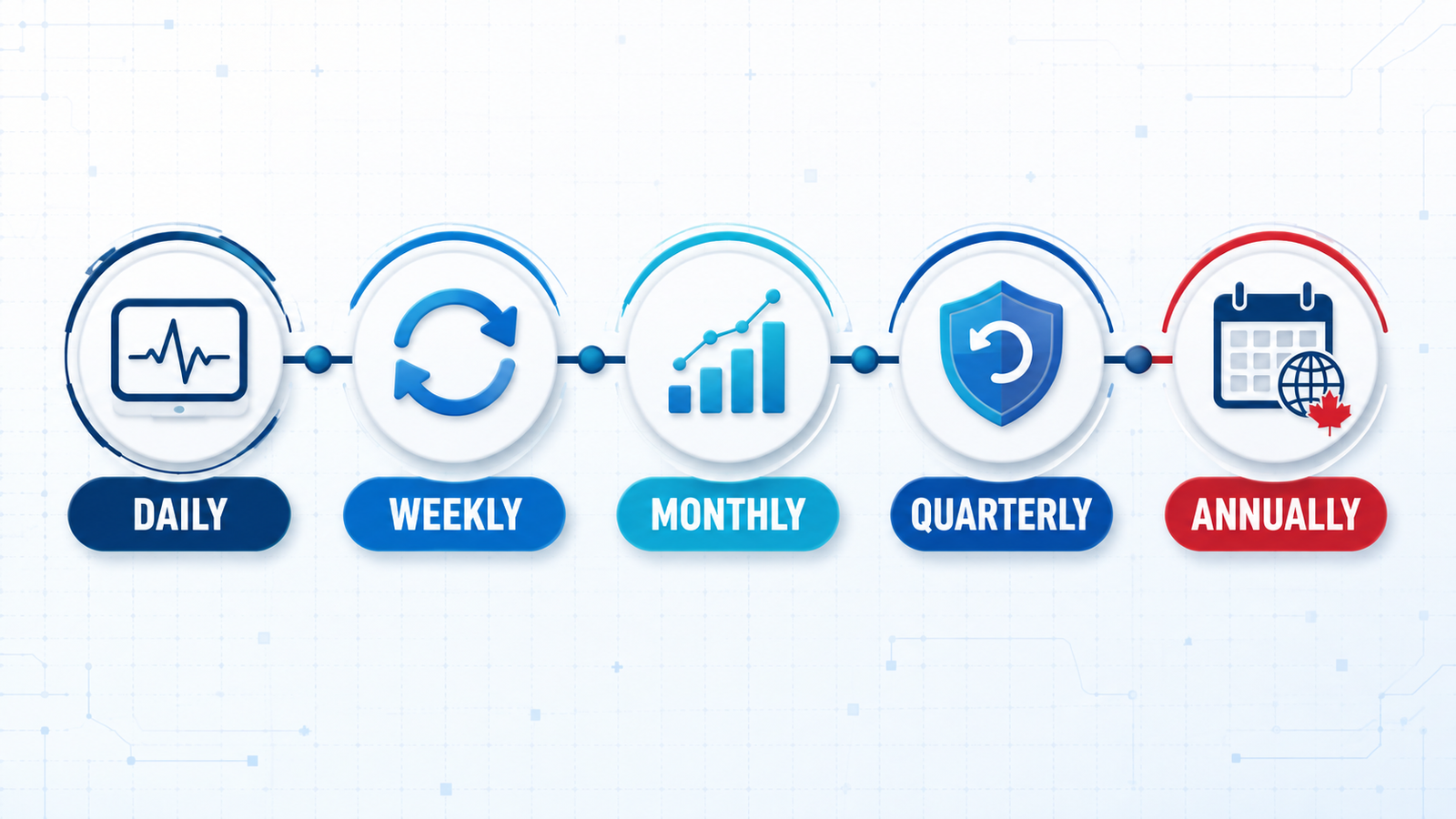
A practical Canadian maintenance schedule
Continuous or daily automated checks
Website availability and TLS/SSL expiration.
Backup completion, critical errors and security alerts.
Resource limits and essential transaction availability.
Weekly checks
Review available updates and vulnerability notices.
Test the main lead, booking or purchase journey.
Investigate unusual account activity and failed background jobs.
Monthly checks
Apply planned changes after backup and suitable testing.
Review performance, broken links, Search Console messages and analytics.
Confirm addresses, contact details, service areas, prices and offers remain current.
Remove old users, API connections and unused integrations.
Quarterly checks
Run a test restoration or documented recovery exercise.
Review plugins, accounts, suppliers and data flows.
Test mobile usability, accessibility and priority customer journeys.
Review storage, traffic and server trends before capacity becomes urgent.
Annual checks
Confirm domain, hosting, certificate and software renewals.
Review business ownership and recovery contacts.
Reassess data location, provider safeguards and contractual requirements.
Audit aging content and determine whether a website redesign is justified.
Managed maintenance or an internal process?
An internal process can suit a simple site when a named team member has time, access and the ability to test changes and recover the site. It becomes fragile when documentation is missing, backups are never restored or responsibility moves informally between employees and suppliers.
Managed care is usually more valuable when the website generates regular enquiries, processes bookings or sales, collects personal information, uses custom integrations or needs a defined response route. The plan should still leave the business with clear ownership and an exit path.
What affects website care costs in Canada?
Pricing depends on the platform, traffic, storage, backup frequency, update risk, monitoring depth, response targets, included content changes and cost of downtime. An e-commerce site or bilingual site with many templates normally needs more testing than a small brochure site.
Request a written scope in Canadian dollars and check for tax, exchange-rate or third-party license charges. Confirm whether the domain, certificates, CDN, email, staging, malware response, restores and reporting are included.
Moving to a new host without avoidable SEO disruption
Follow Google’s hosting-change guidance: prepare and test the new infrastructure, update DNS, monitor old and new traffic and retain the old environment until the move is confirmed.
Copy and test pages, media, forms, downloads and integrations.
Preserve existing URLs unless a separate migration plan covers changes.
Keep analytics and Search Console verification working.
Check HTTPS, redirects, robots directives, canonicals and sitemaps.
Monitor server errors, crawling, traffic and enquiries after launch.
Keep a rollback option and avoid cancelling the old host too soon.
Questions to ask a Canadian maintenance provider
Will the business remain the registrant and owner of every key account?
Where are the website and backups stored, and who can access them?
What is monitored, updated and tested?
How often are backups retained and restoration-tested?
What happens after a security, uptime or form-delivery alert?
Which response targets and routine content changes are included?
How are credentials protected and handed back?
How can the website be transferred to another supplier?
Frequently asked questions
Does a Canadian business have to host its website in Canada?
Not every business has the same requirement. Data type, sector, province, contracts and customer expectations can affect the decision. Ask a qualified advisor when compliance obligations are unclear, and document where data and backups are processed.
What is the difference between hosting and maintenance?
Hosting provides infrastructure. Maintenance is the ongoing work that keeps the website updated, monitored, backed up, tested and supported.
How often should a website be backed up?
Match frequency to how often valuable data changes. Define both the acceptable data-loss window and how quickly service must be restored, then test that target.
Can maintenance prevent every breach or outage?
No. Good maintenance reduces avoidable exposure, improves detection and creates a more controlled recovery when an incident occurs.
Can an agency maintain an existing site?
Often yes, after reviewing code, platform, licenses, hosting, access, integrations, backups and known issues. High-priority risks may need to be stabilized first.
Who should own the domain?
The business should normally remain the registrant and retain ultimate control. A supplier can manage DNS while ownership and recovery details stay documented for the business.
Make website care a documented business process
Do not let a website depend on a forgotten renewal email or one supplier’s memory. Document accounts, automate monitoring, test recovery and assign clear owners.
To review your current setup, talk to Stars Web Studio about website care. We can assess the domain, hosting, platform, backups, privacy-sensitive data flows and support requirements, then define a practical scope.